Wellbe - Telehealth Website Template

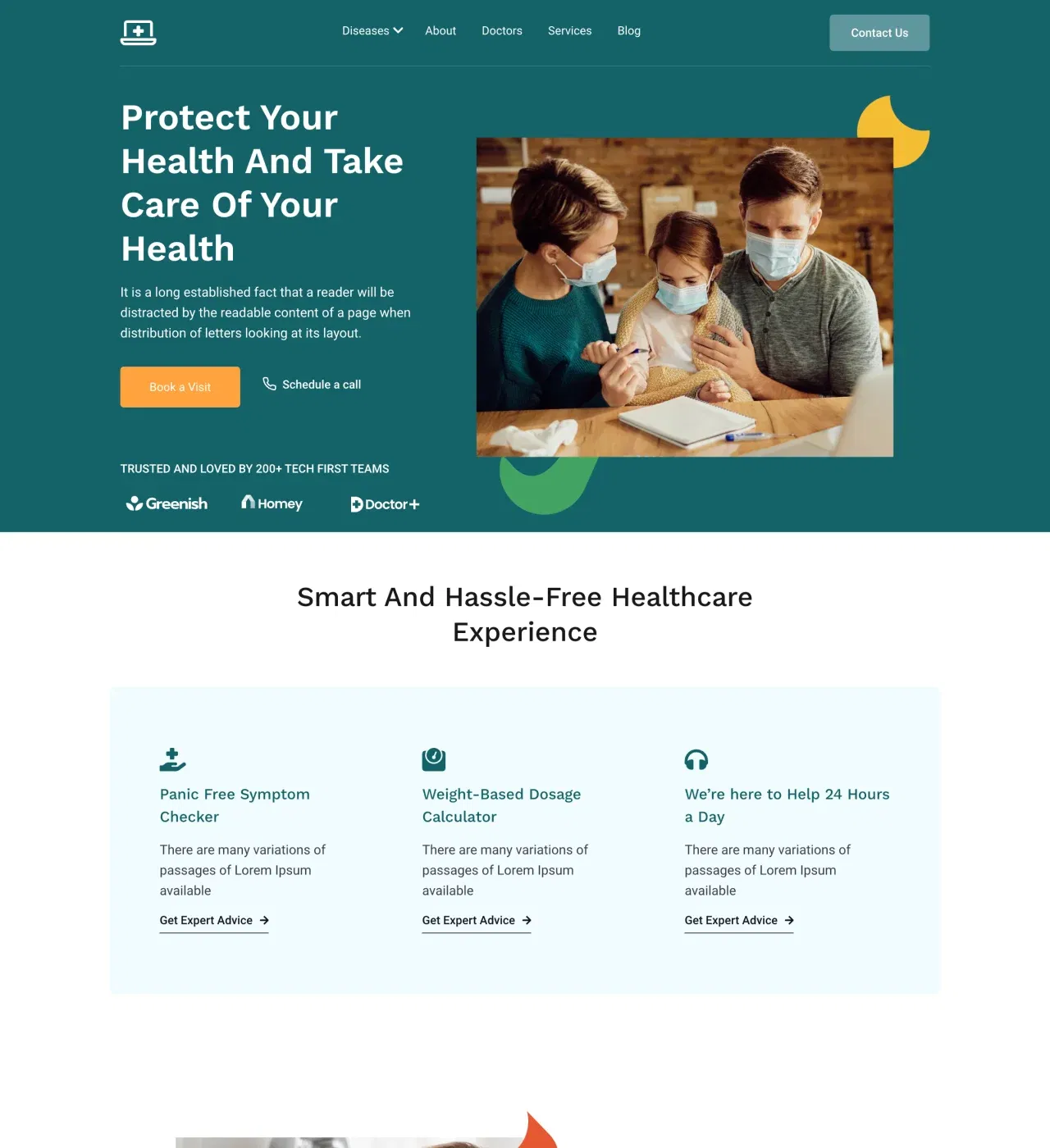
This template creates professional telehealth websites connecting patients with quality virtual care through organized doctor profiles, service categories, and seamless appointment scheduling functionality.

undefined

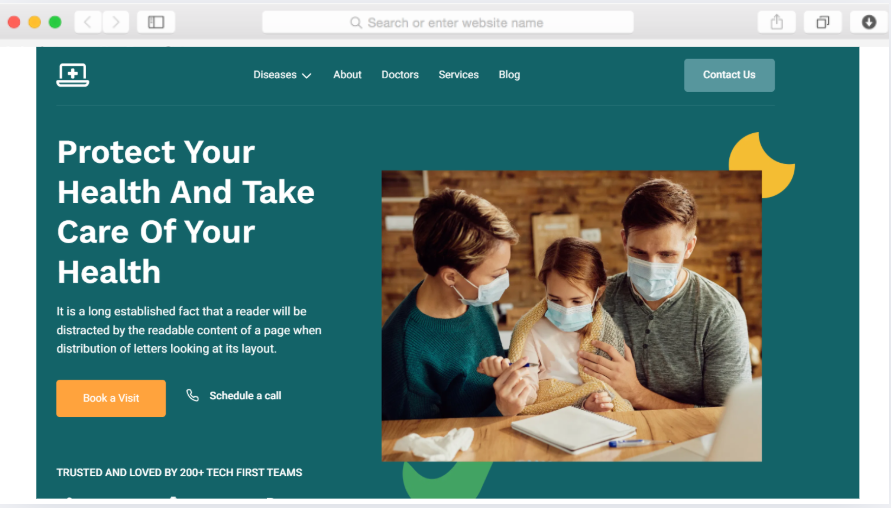
Virtual healthcare demands websites that build immediate trust while simplifying access to care. This telehealth template addresses the challenge healthcare providers face when establishing credible online presences that convert visitors into engaged patients.

The organized structure guides patients from initial service discovery through appointment booking without confusion. Doctor profiles with star ratings build confidence, while the disease-specific pages help patients identify relevant care quickly. Statistics sections demonstrate practice credibility through quantifiable achievements.

Whether you're launching a new telehealth practice or expanding existing services online, this template provides the professional foundation needed to communicate expertise and facilitate patient connections efficiently.

Key Features

Present Your Medical Team Effectively

undefined

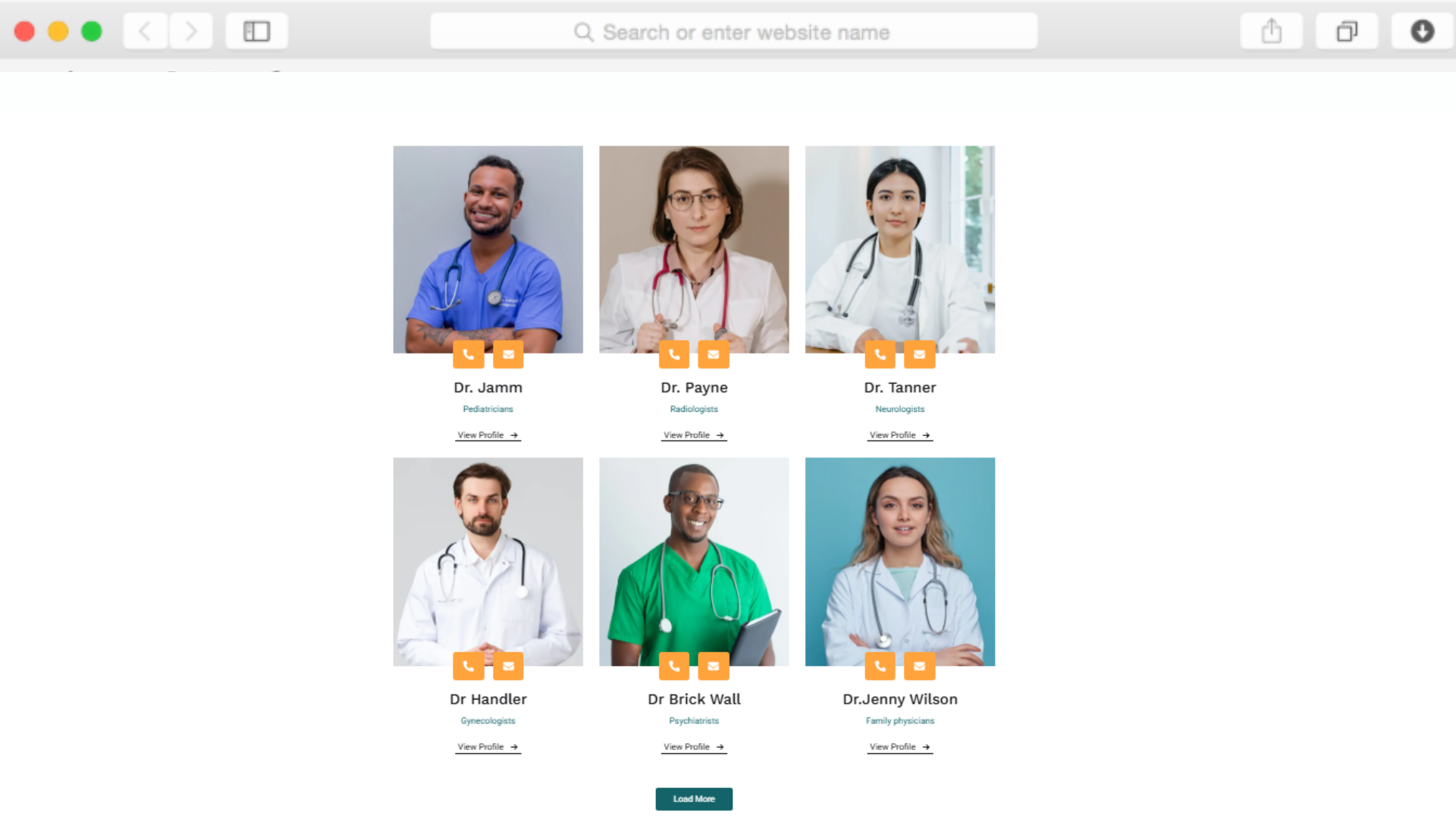
The team members section with integrated star ratings helps patients evaluate provider qualifications before booking. Display doctor specialties, experience, and patient reviews in an organized format that builds trust through transparency.

Multiple doctor profiles can be showcased simultaneously, making it simple for patients to compare providers and find the right match for their healthcare needs.

Organize Healthcare Services by Specialty

undefined

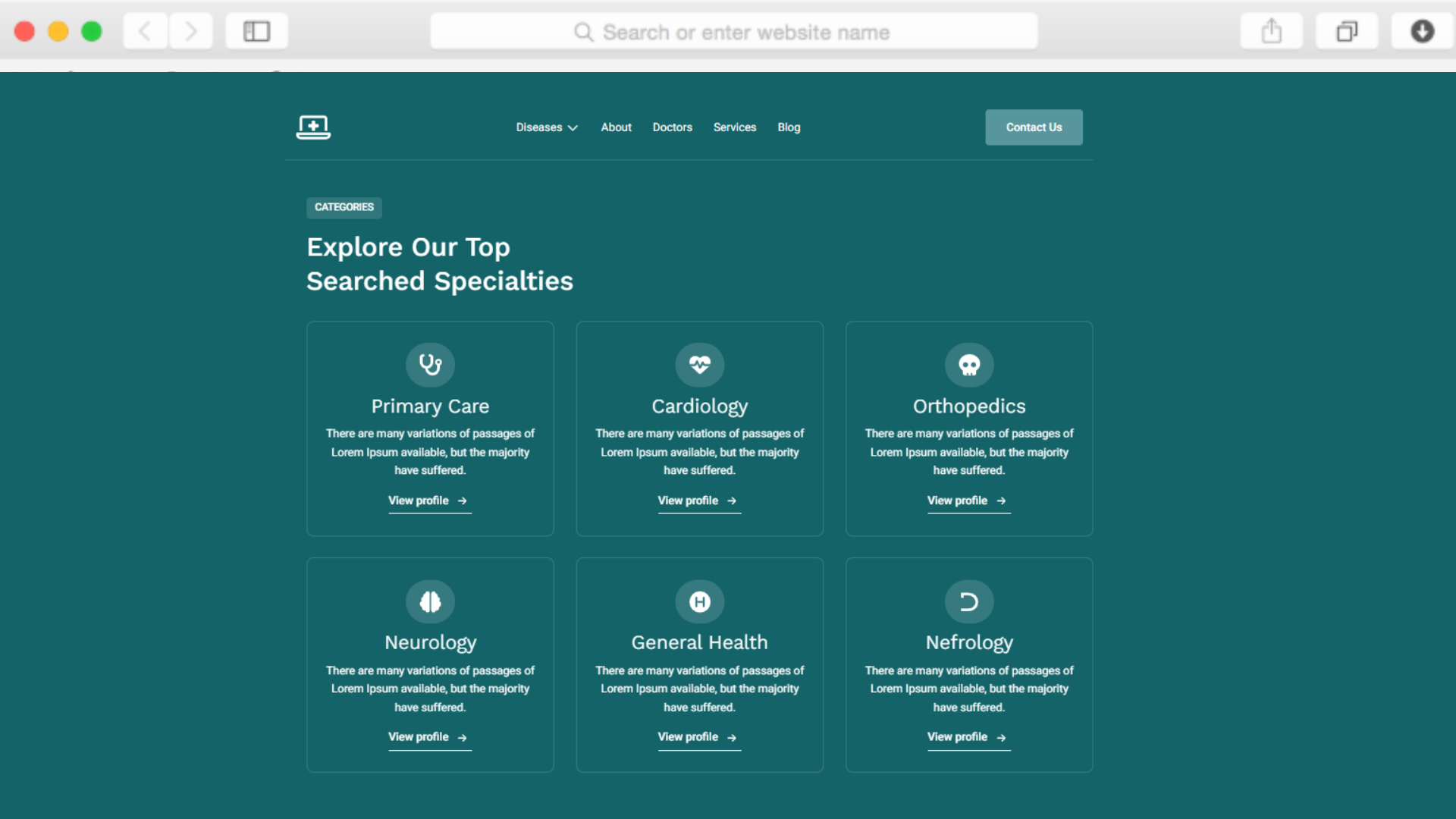
The services section with dropdown navigation allows you to categorize treatments and specialties logically. Patients can explore offerings without feeling overwhelmed, finding exactly what they need quickly.

This structure works particularly well for practices offering multiple specialties, from primary care to specialized treatments, keeping all information accessible yet organized.

Build Credibility Through Patient Testimonials

undefined

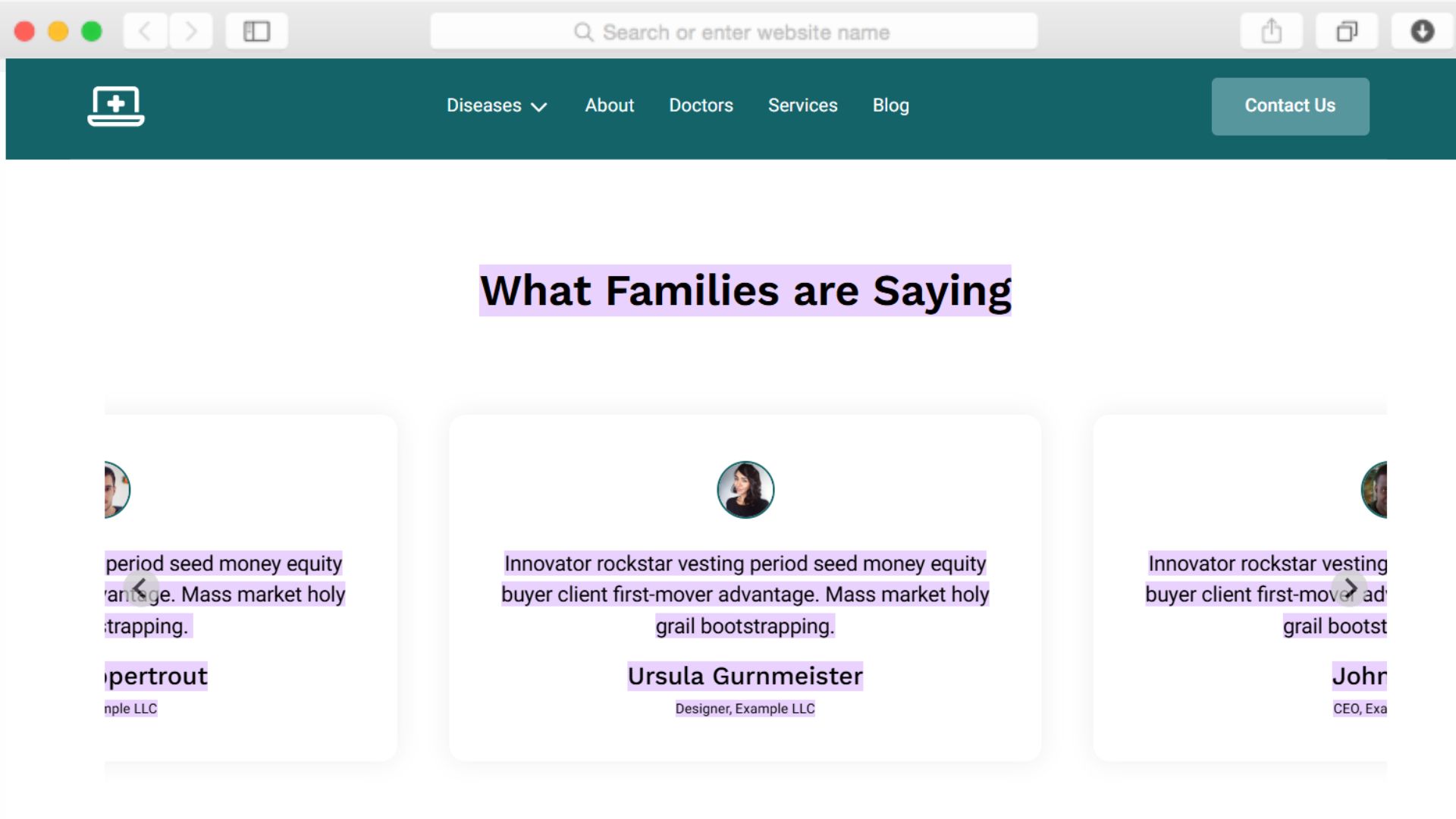
The testimonial slider with star ratings showcases real patient experiences. Social proof remains critical in healthcare decisions, and this feature displays reviews in a visually compelling format that builds confidence.

The carousel functionality allows multiple testimonials to occupy minimal space while giving each review appropriate visibility and impact.

Schedule Appointments Without Friction

undefined

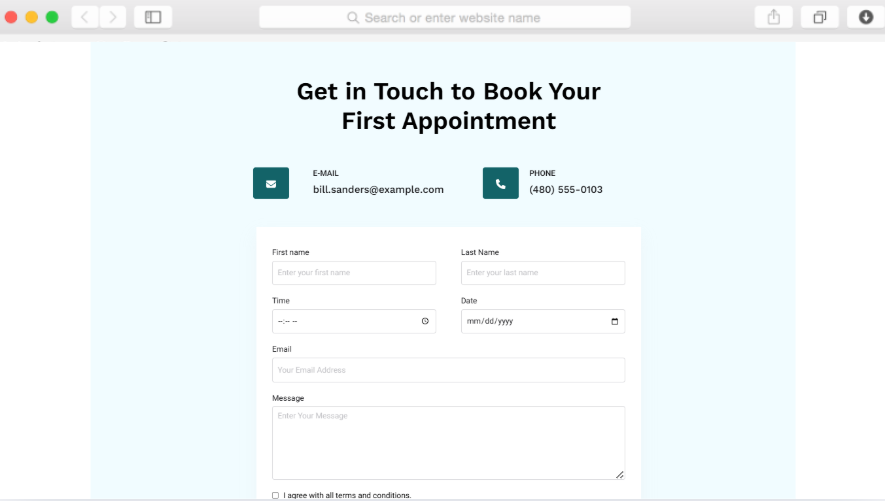
Integrated date and time picker elements remove scheduling barriers. Patients can select convenient appointment slots directly through your website, reducing phone call volume while improving conversion rates.

The contact form with structured fields captures essential patient information upfront, streamlining intake processes and preparing your team for successful consultations.

Reusable Components

Build sections like the FAQ accordion or testimonial slider once, then deploy them across multiple pages. When you update the design or content in one location, changes automatically reflect everywhere that component appears.

For telehealth sites with consistent service descriptions, doctor bios, or frequently asked questions across multiple pages, this approach eliminates repetitive editing while ensuring brand consistency throughout your website.

Customizations

The drag-and-drop editor provides complete control over your telehealth website's appearance without requiring technical expertise. Adjust the teal color palette to match your brand, modify typography for better readability, or rearrange sections to prioritize different content.

The responsive design automatically adapts your changes across desktop, tablet, and mobile devices. For providers needing specific functionality, custom CSS support allows advanced modifications while maintaining the template's professional foundation and performance optimization.

Special Features

The Airtable job board integration enables dynamic content management beyond standard healthcare website needs. If you're building a telehealth network requiring career pages, this feature connects your Airtable database directly to your website for automatic job posting updates.

Meanwhile, Dorik's AI content and image generation tools accelerate initial website creation. Generate professional service descriptions, doctor bios, and custom medical imagery without external copywriters or stock photo subscriptions, reducing launch time and costs significantly.

Use Cases

Established Telehealth Clinics Expanding Service Lines

Multi-specialty virtual health centers use the disease-specific pages and comprehensive services section to educate patients about new offerings. The organized structure helps returning patients discover additional treatments while attracting new patients searching for specialized care.

The statistics section quantifies growth and patient satisfaction metrics, reinforcing credibility as the practice scales its telehealth capabilities.

Independent Practitioners Building Solo Practices

Individual doctors launching telehealth services leverage the doctor profile section with star ratings to establish personal credibility. The about page allows detailed storytelling about medical philosophy and approach, differentiating the practice in competitive markets.

Integrated appointment scheduling through date and time pickers converts website visitors into booked consultations without requiring administrative staff for scheduling.

Healthcare Startups Validating New Service Models

Innovative health tech companies testing telehealth concepts use the clean, professional design to establish legitimacy quickly. The modal windows and call-to-action buttons throughout the site create multiple conversion opportunities for early patient acquisition.

The blog preview section supports content marketing strategies essential for startups building authority and organic traffic in crowded healthcare markets.

Urgent Care Networks Offering Virtual Options

Regional urgent care chains adding telehealth services use the location section to show physical clinic addresses while promoting virtual consultations. The services page clearly distinguishes between in-person and virtual care options, preventing patient confusion.

Client logos and social media integration help established local brands extend their trusted reputation into the digital healthcare space.

Why Choose Wellbe - Telehealth Website Template?

  • Date and time picker elements included, unlike platforms requiring third-party scheduling plugins that increase costs and complexity.
  • Built for healthcare providers specifically, not generic business templates adapted awkwardly for medical services and patient needs.
  • Airtable integration by default for practices managing complex service catalogs or career pages without custom development work.
  • Disease-specific page structure addresses patient search behavior better than vague "services" pages that lack targeted information.
  • Unlimited storage and bandwidth through Dorik's CDN means high-resolution medical images never slow page performance or incur overages.
  • No transaction fees on appointment forms or newsletter signups, unlike platforms charging per submission or subscriber count.
  • AI content generation for medical descriptions, doctor bios, and service explanations eliminates copywriting bottlenecks that delay launches.

FAQs

Can I customize the appointment booking process?

Yes, the template includes date picker and time picker elements within contact forms. You can configure available time slots, required patient information fields, and confirmation messaging to match your scheduling workflow and practice requirements.

Does this work for practices with multiple doctors?

Absolutely. The team members section with star ratings accommodates multiple provider profiles. Each doctor can have individual pages detailing specialties, credentials, and patient reviews, helping patients choose the right provider for their needs.

How do I organize different medical specialties?

Use the dropdown menu navigation and services section to categorize specialties logically. Create dedicated pages for each service area using the disease-focused page structure, making it easy for patients to find relevant information quickly.

Can patients read reviews before booking?

Yes, the testimonial slider with star ratings displays patient feedback prominently. You can showcase multiple reviews that rotate automatically, providing social proof without overwhelming the page layout or requiring excessive scrolling.

Is the website optimized for mobile devices?

The template uses responsive design and mobile-first principles, ensuring perfect functionality on smartphones and tablets. Since many patients research healthcare providers on mobile devices, all sections adapt seamlessly to smaller screens automatically.

How quickly can I launch this website?

With the drag-and-drop editor and pre-built sections, you can have a professional telehealth website live within days. Add your content, customize colors and images, then connect your domain. No coding or lengthy development timelines required.

Can I add educational content about conditions?

Yes, the disease-specific pages and blog functionality support educational content strategies. Create detailed condition overviews, treatment explanations, and wellness advice that improve SEO while positioning your practice as a trusted healthcare resource.

Does it include FAQ functionality?

The accordion component provides expandable FAQ sections without cluttering pages. Patients can click to reveal answers to common questions about services, insurance, telehealth technology, and appointment procedures, improving user experience and reducing inquiries.

What about HIPAA compliance for forms?

The contact forms collect basic appointment scheduling information. For HIPAA-compliant patient data management, integrate your existing patient portal or EMR system through custom code injection capabilities available in Dorik's Business and Agency plans.

Can I showcase clinic locations alongside telehealth services?

Yes, the location section accommodates multiple physical addresses if you offer both virtual and in-person care. This helps patients understand your full service model while maintaining clear distinctions between telehealth and traditional appointments.

Categories
Styels
  • Modern
  • Clean
  • Professional
Layout
  • Multi-page
  • Single Page
  • Grid Layout
  • Hero Centered
Features
  • Responsive Design
  • Content Management System (CMS)
  • Fully Customizable
  • SEO Optimized
  • Mobile First
  • Performance Optimized
  • CSS Grid
  • Hover Effects
  • Fixed Header
  • Sticky Elements
  • Image Background
  • Navigation Menu
  • Regular Button
  • Contact Form
  • Subscription Form
  • Modal Windows
  • Dropdown Menu
  • Accordion
  • Testimonial Slider
  • Star Rating
  • Social Icons
  • Date Picker
  • Time Picker
  • Airtable Job Board
Sections
  • Hero
  • Call-to-Action Buttons
  • Features
  • Process
  • Team Members
  • Statistics
  • Testimonials
  • Services
  • FAQ
  • Blog Preview
  • Newsletter Signup
  • Contact Information
  • Location
  • Social Media Links
  • Footer
  • Client Logos
Pages
  • Home
  • About
  • Diseases
  • Doctors
  • Contact
  • Services
  • Blog

Build a Website now with AI!

© 2025 Dorik, Inc. All rights reserved