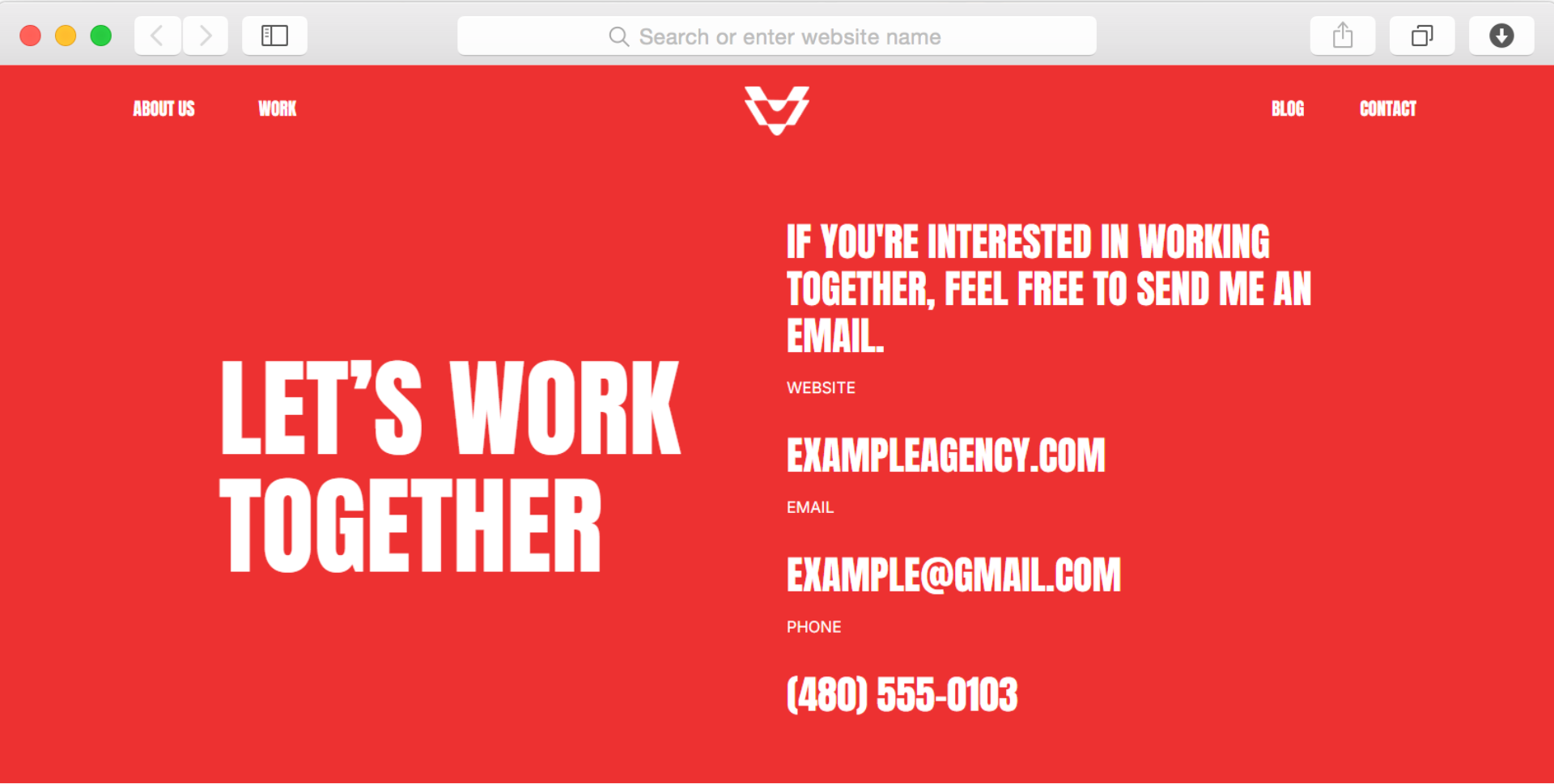
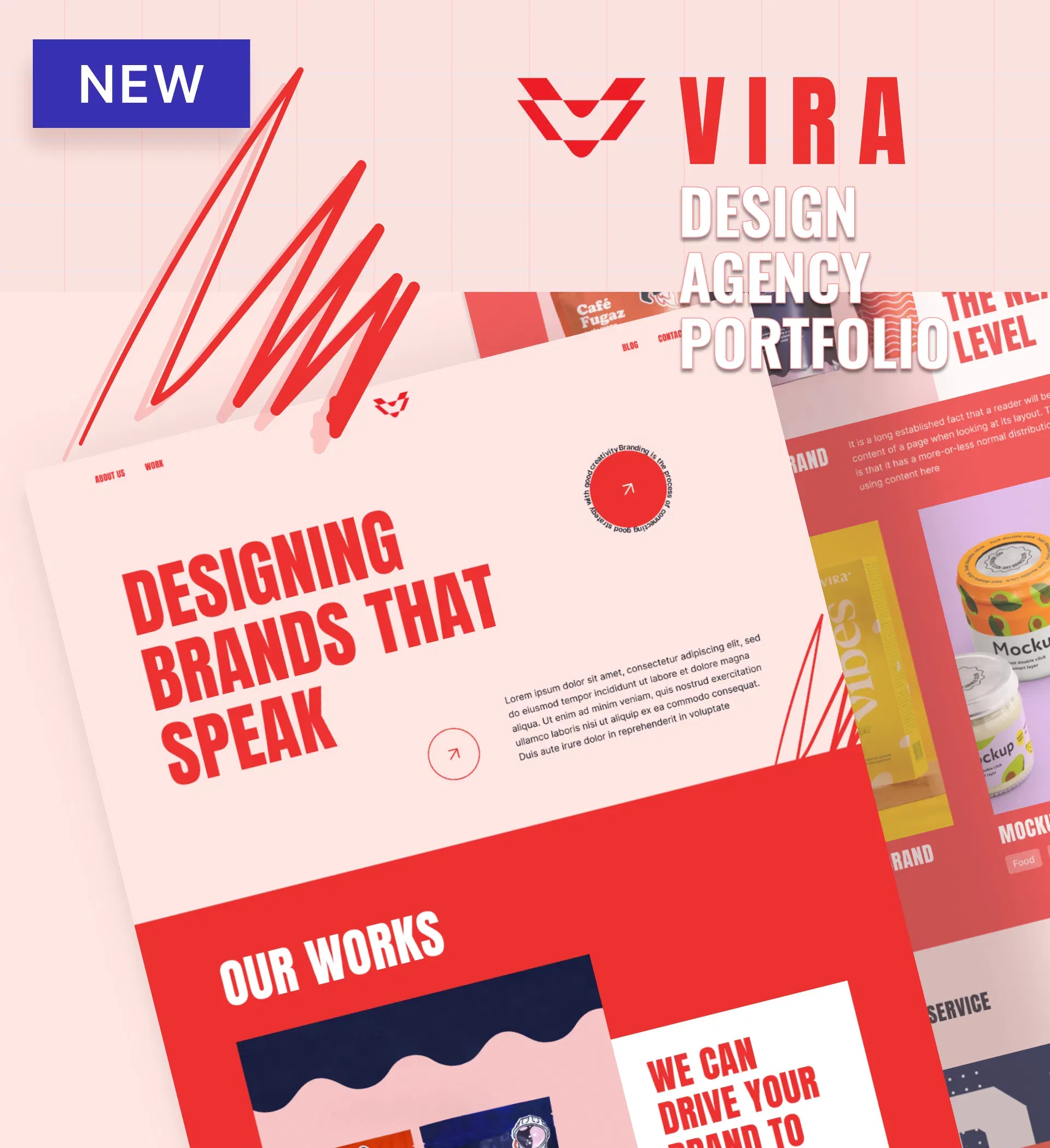
Vira - Design Agency Portfolio Website Template

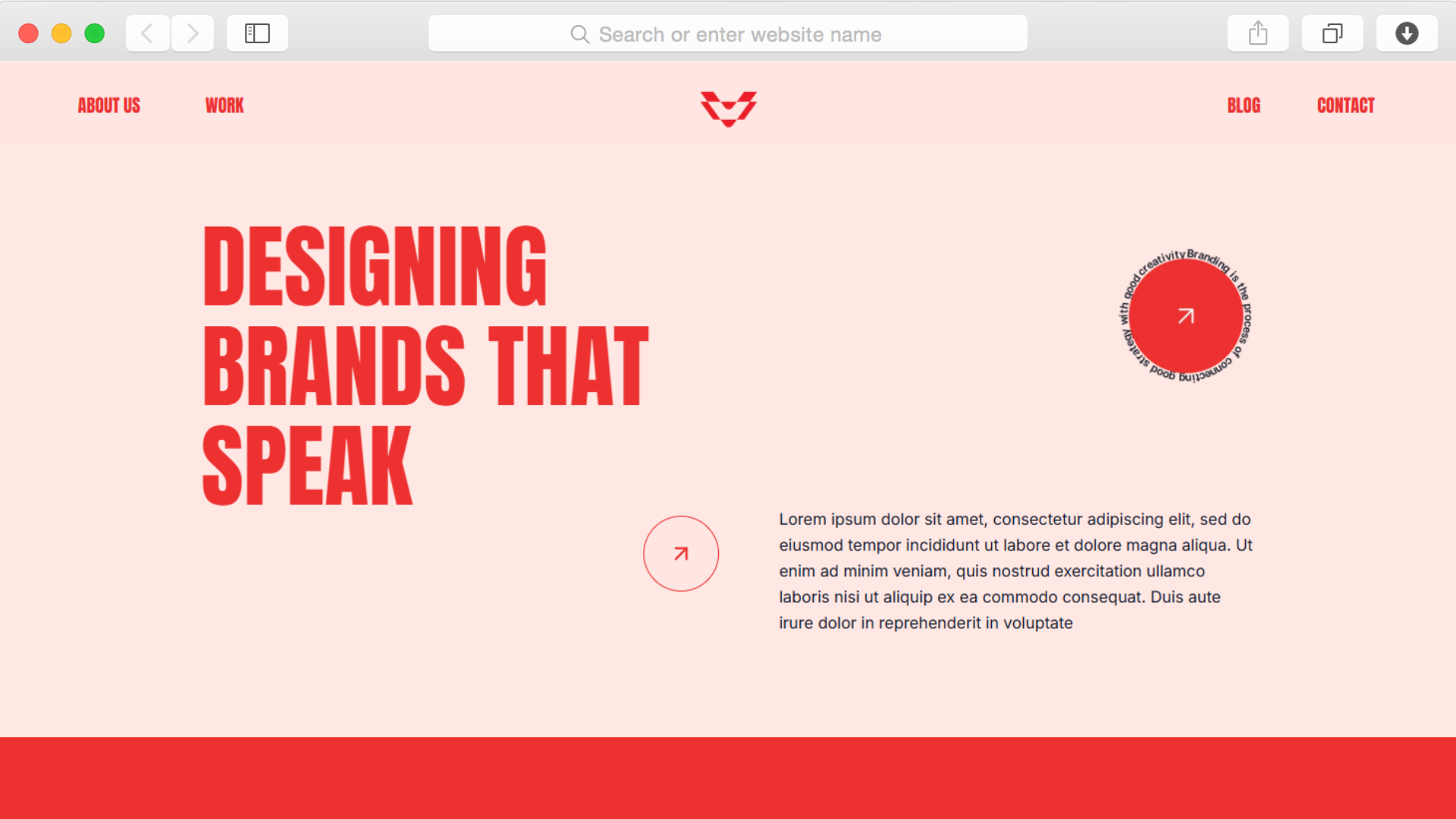
Design agencies need portfolios that command attention. This template delivers bold visual impact through modern design elements, helping creative professionals showcase their best work while maintaining the professional presence that attracts premium clients.

undefined

Every design agency faces the same challenge: how do you create a portfolio that's as impressive as the work you do for clients? The competition for creative projects is fierce, and your website needs to immediately demonstrate your capabilities while making it effortless for potential clients to understand what you offer and how you work.

This template solves that problem through strategic organization and bold visual presentation. Your portfolio takes center stage with dedicated sections that let your projects shine, while supporting pages provide the context and credibility that convert visitors into clients. The modern layout ensures your work gets the attention it deserves without competing with unnecessary distractions.

Built specifically for design agencies, creative studios, and branding firms, this template structures your content to answer the questions clients actually ask. From showcasing your best projects to introducing your team members and explaining your process, every section serves a clear purpose in building trust and demonstrating expertise.

Key Features

Portfolio Showcasing That Highlights Your Best Work

undefined

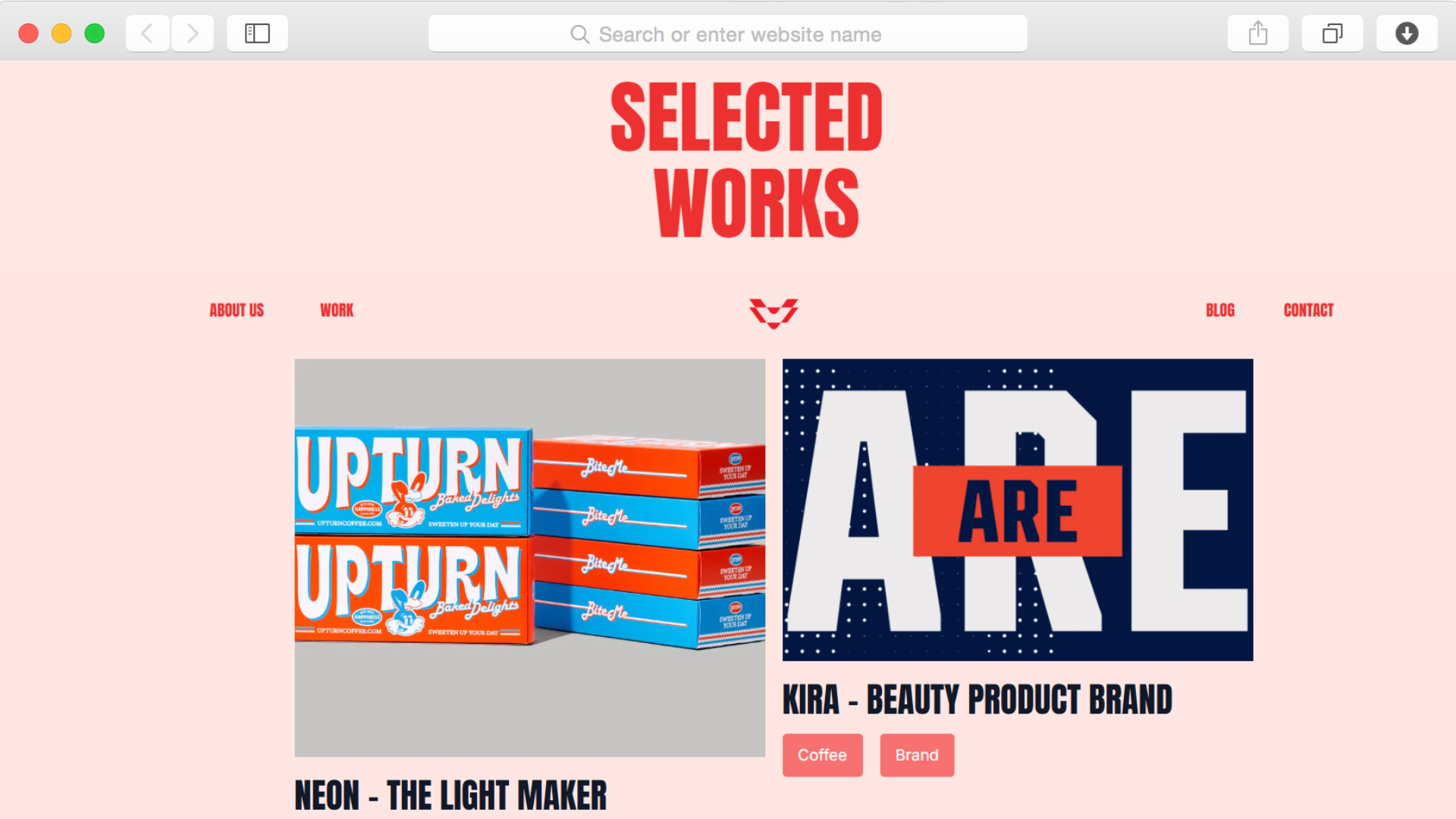
Present your projects through a dedicated portfolio section designed specifically for creative work. The grid layout lets you organize case studies and campaigns in a way that invites exploration, while hover effects add subtle interactivity that keeps visitors engaged without overwhelming them.

Unlike generic gallery displays, this portfolio structure helps potential clients quickly understand the scope and quality of your work. Each project gets proper space to make an impact, and the organized presentation makes it easy for visitors to navigate through your portfolio and find relevant examples.

Team Member Profiles That Build Client Confidence

undefined

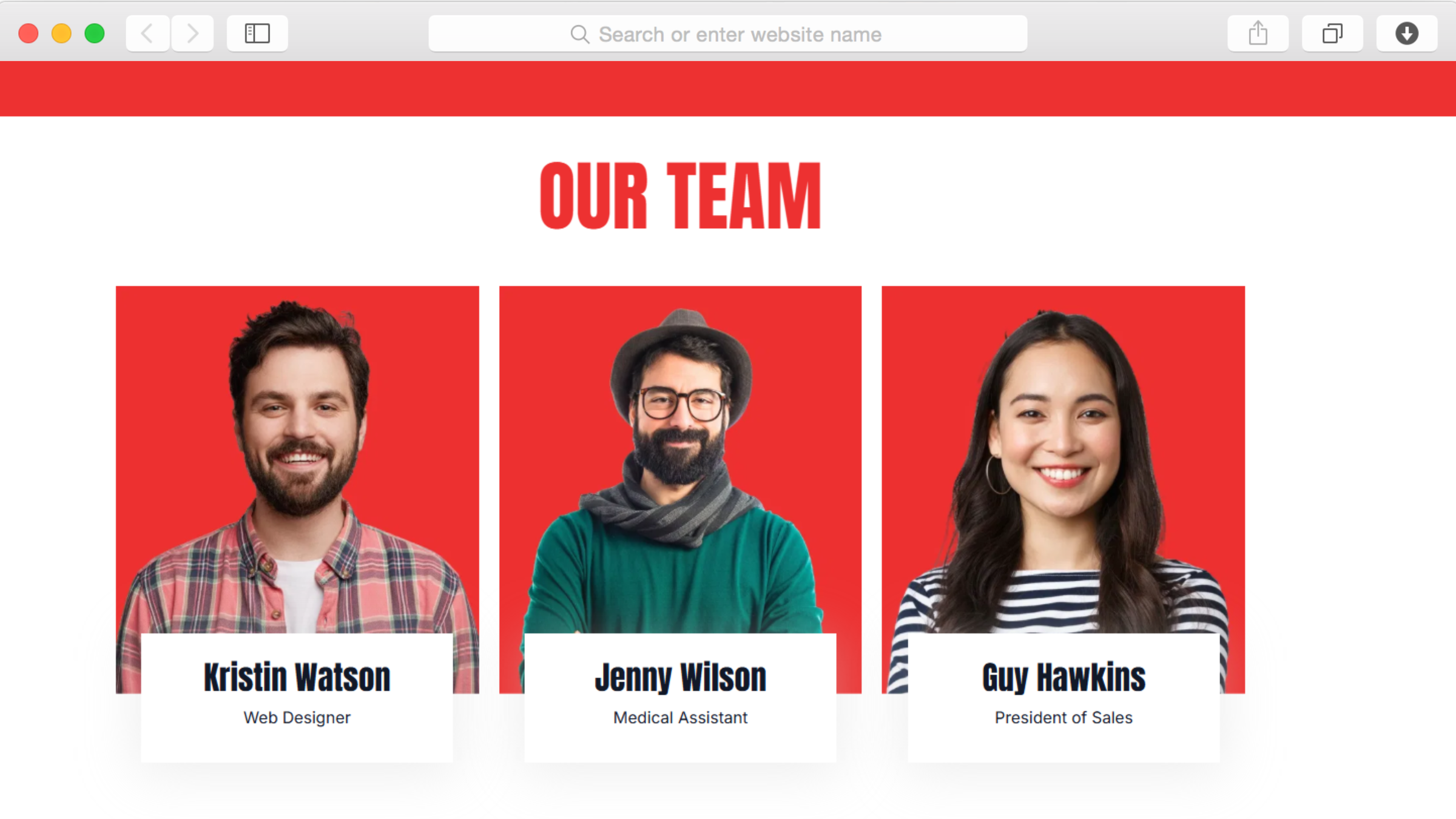
Introduce the people behind your agency through a dedicated team section. Feature photos, roles, and expertise for each team member, giving potential clients insight into who they'll be working with. This transparency builds trust before the first conversation even happens.

Clients want to know they're hiring capable professionals who understand their industry. By showcasing your team's experience and specializations, you address this concern directly while adding a human element that larger agencies often lack.

Integrated Blogging Platform for Thought Leadership

undefined

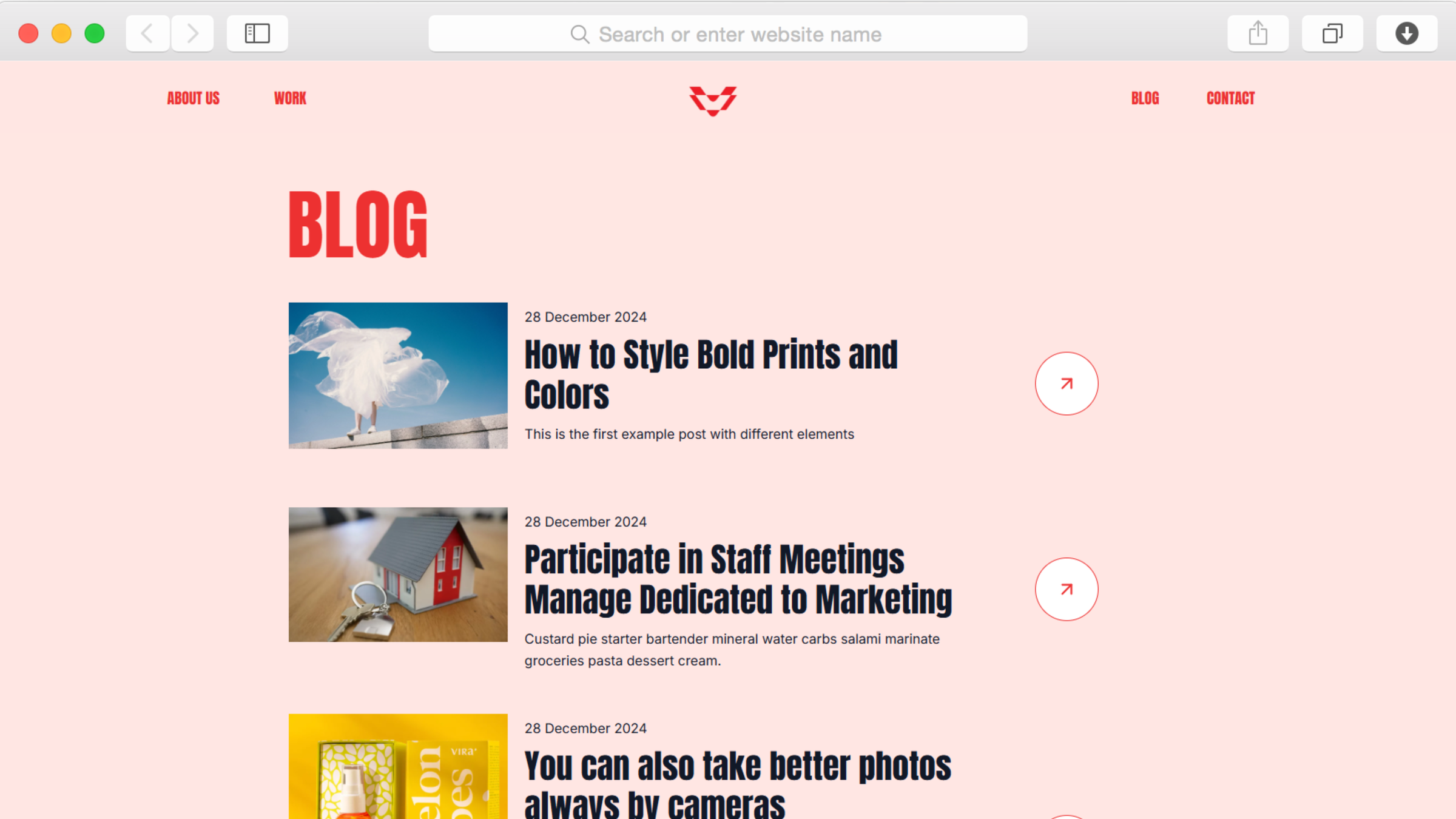
Share insights, case studies, and industry perspectives through the built-in blog functionality. Regular content helps establish your agency as an authority in your field while providing valuable information that attracts your ideal clients through search engines.

The blog preview on your homepage ensures your latest thinking is always visible, encouraging visitors to engage with your content. Post scheduling lets you maintain consistency even during busy project periods, and the SEO-optimized structure helps each article reach the audience it deserves.

Clear Service Communication Through Organized Sections

undefined

Explain what you do and how you work through a "What We Do" section that breaks down your services and approach. This clarity eliminates confusion and helps potential clients quickly determine if your agency is the right fit for their needs.

The structured layout makes it easy to detail your process, highlight your methodologies, and communicate the value you bring to projects. This transparency accelerates decision-making and attracts clients who appreciate your specific approach to design work.

Reusable Components

Build sections once and deploy them across multiple pages using Dorik's reusable components feature. When you update your team member information or refine your service descriptions, those changes appear everywhere that component is used. This consistency ensures your brand presentation remains polished across every page while dramatically reducing the time needed for site updates.

For agencies managing multiple projects or frequently refreshing portfolio pieces, this approach transforms website maintenance from a tedious task into a quick update process. Create your portfolio grid layout once, use it wherever needed, and update your projects knowing the changes flow through your entire site automatically.

Customizations

Customize every visual element through Dorik's drag-and-drop editor without writing code. Adjust the bold color palette to match your agency's brand identity, modify typography to reflect your style, and reorganize sections to prioritize what matters most to your clients. The responsive design adapts automatically to mobile devices, ensuring your portfolio looks impressive whether viewed on desktop or phone.

For agencies with specific technical requirements, custom CSS support lets you fine-tune spacing, animations, and interactions. This flexibility means you're not locked into predetermined layouts—the template adapts to your vision, not the other way around.

Special Features

Beyond the portfolio and team sections, this template includes navigation menus for easy site exploration and call-to-action buttons strategically placed to encourage contact when visitor interest peaks. Tags help organize blog content and portfolio projects, making it simple for visitors to find relevant examples.

The footer provides space for additional contact information, social media links, and secondary navigation, ensuring visitors can always find what they need. Built on Dorik's platform, you also gain access to AI-powered content generation that helps you write compelling copy for your services and project descriptions, plus AI image generation when you need placeholder visuals or conceptual imagery.

Use Cases

Boutique Design Studios Establishing Digital Presence

Small design studios often struggle to compete with established agencies when it comes to online presence. This template levels that playing field by providing the professional structure and visual impact that makes boutique studios look as polished as their larger competitors.

By showcasing portfolio work alongside team expertise and clear service descriptions, emerging studios can demonstrate their capabilities and attract clients who value the personalized attention that smaller agencies provide. The blog functionality helps establish thought leadership in specific niches, drawing clients seeking specialized expertise.

Creative Agencies Refreshing Outdated Portfolios

Agencies outgrow their websites as their work evolves and their teams expand. This template provides the framework to rebuild your online presence without starting from scratch. The portfolio section accommodates growing project libraries, while the team profiles section scales as you add new members.

For agencies whose current sites don't reflect the quality of their recent work, this fresh foundation lets you showcase your evolution. The organized structure makes it easy to archive older projects while prominently featuring current capabilities that attract the clients you want today.

Branding Firms Converting Referrals Into Direct Inquiries

Many branding firms rely heavily on referrals but struggle to convert website visitors who discover them through search. This template addresses that gap by clearly communicating your process, showcasing relevant work, and building credibility through team profiles and blog content.

The strategic layout guides visitors from initial interest through understanding your approach to taking action through contact forms. By answering common questions before they're asked and demonstrating relevant expertise through portfolio examples, you reduce friction in the conversion process.

Freelance Designers Transitioning to Agency Model

Growing from solo freelancer to agency requires a website that reflects increased capacity and professionalism. This template provides the structure to present yourself as an established agency even while building your team. The portfolio showcases capabilities, while team sections can start with just a few profiles and expand as you grow.

For designers making this transition, the blog functionality helps establish expertise beyond individual projects, while the organized service sections communicate the expanded capabilities that come with agency infrastructure. The professional presentation helps justify premium pricing and attract clients seeking agency-level reliability.

Why Choose Vira - Design Agency Portfolio Website Template?

  • Portfolio, About, Contact, and Blog pages included by default, providing the complete structure agencies need without requiring additional page creation
  • Testimonial slider lets you showcase client feedback with rotating reviews that build credibility without overwhelming your homepage
  • CSS Grid layout capabilities allow complex, magazine-style arrangements that generic website builders can't achieve, giving your portfolio visual sophistication
  • Performance optimization ensures fast loading even with image-heavy portfolio content, unlike platforms where visual work creates frustrating delays
  • Built-in blogging platform with SEO controls included, eliminating the need for separate content management systems or WordPress installations
  • Unlimited storage and bandwidth mean you never worry about file size limits as your portfolio grows, unlike hosts that charge extra for media storage
  • Free SSL certificate and global CDN included, providing security and speed improvements that typically require separate technical setup and ongoing costs

FAQs

Can I organize portfolio projects by category or service type?

Yes, the template includes tags functionality that lets you categorize portfolio work by project type, industry, service offering, or any classification system that serves your clients. Visitors can filter through your work to find relevant examples matching their needs.

Does this template support showcasing case studies with detailed project information?

The portfolio section is designed specifically to display project work, and you can create dedicated pages for individual case studies that include project backgrounds, challenges, solutions, and results. The CMS capabilities make it easy to structure detailed project information consistently across all case studies.

How many team member profiles can I add?

The team section accommodates unlimited profiles. As your agency grows, simply add new team members with their photos, roles, and expertise. The layout adapts to display any number of profiles while maintaining visual consistency.

Can clients access blog content without disrupting the portfolio experience?

Yes, the blog operates as a separate section with its own dedicated page. The homepage includes a blog preview that showcases recent articles, but the full blog content lives on dedicated pages that don't interfere with your portfolio presentation.

Is the template optimized for agencies showcasing visual work like branding and design?

Absolutely. The portfolio grid layout, hover effects, and clean visual hierarchy are specifically designed to showcase creative work effectively. The structure ensures your projects remain the focal point while supporting content provides necessary context and credibility.

Can I schedule blog posts for automatic publication?

Yes, the blogging platform includes post scheduling capabilities. Write content in advance and schedule it for publication at optimal times, helping you maintain consistent thought leadership even during busy project periods.

How does the responsive design handle image-heavy portfolio content on mobile devices?

The template automatically optimizes images for different screen sizes while maintaining visual impact. Portfolio grids adjust from multi-column layouts on desktop to single-column displays on mobile devices, ensuring your work looks impressive regardless of how visitors access your site.

Can I integrate this with project management or client communication tools?

Yes, through Dorik's integration capabilities you can connect contact forms to your CRM, add live chat functionality through third-party services, and implement other tools your agency uses. The integration options help streamline your workflow without requiring custom development.

Categories
Styels
  • Modern
  • Bold
  • Clean
Layout
  • Multi-page
  • Grid Layout
  • Card Layout
  • Two Column
Features
  • Responsive Design
  • Content Management System (CMS)
  • Fully Customizable
  • SEO Optimized
  • Mobile First
  • Performance Optimized
  • CSS Grid
  • Hover Effects
  • Navigation Menu
  • Regular Button
  • Testimonial Slider
Sections
  • Portfolio
  • About
  • What We Do
  • Features
  • Team Members
  • Blog Preview
  • Call-to-Action Buttons
  • Footer
  • Tags
Pages
  • About
  • Blog
  • Contact
  • Portfolio

Build a Website now with AI!

© 2025 Dorik, Inc. All rights reserved