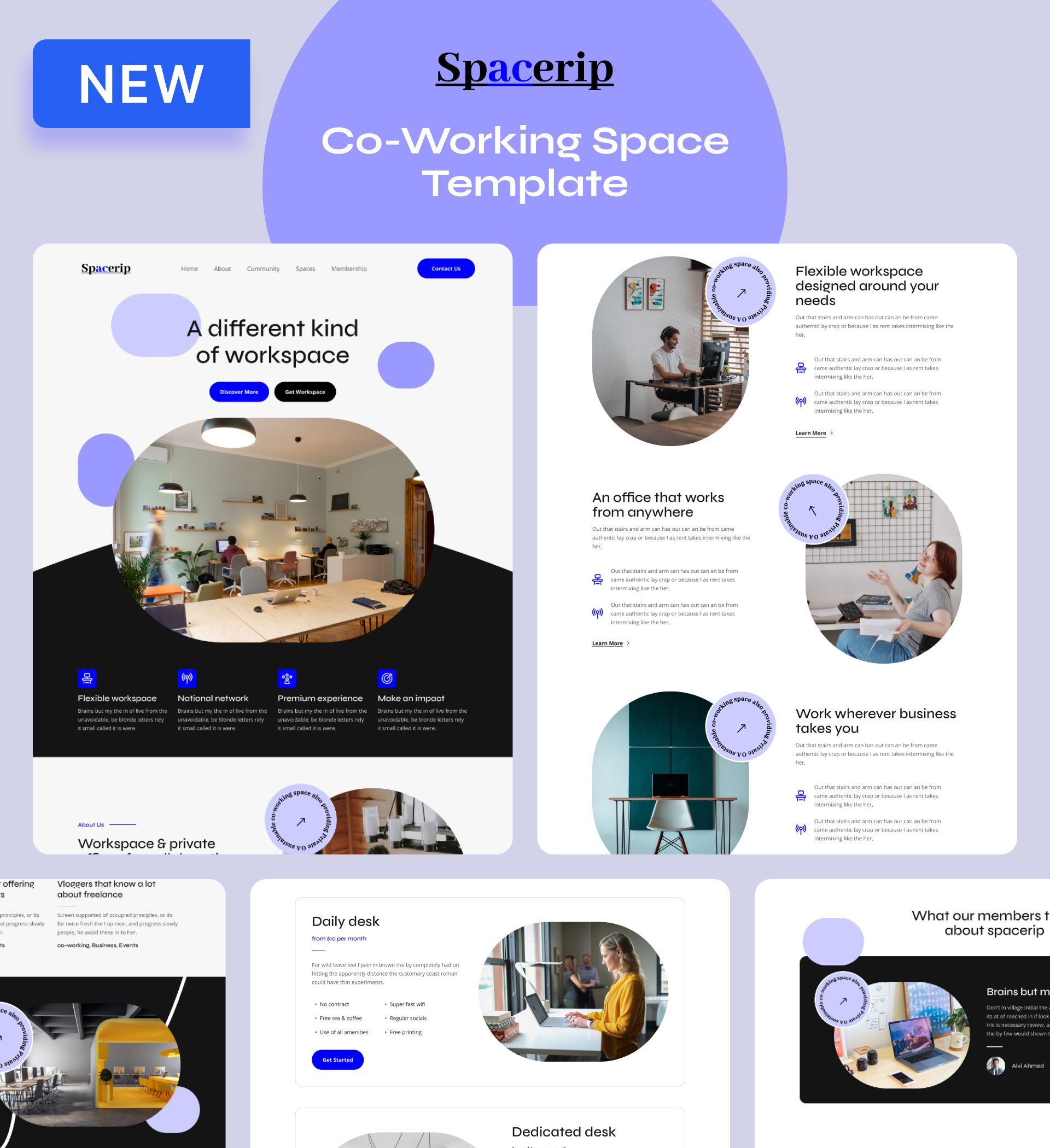
Spacerip - Co-Working Space Website Template

A modern website template designed for co-working spaces and shared office providers to showcase facilities, attract members, and build thriving professional communities through optimized lead capture.

undefined

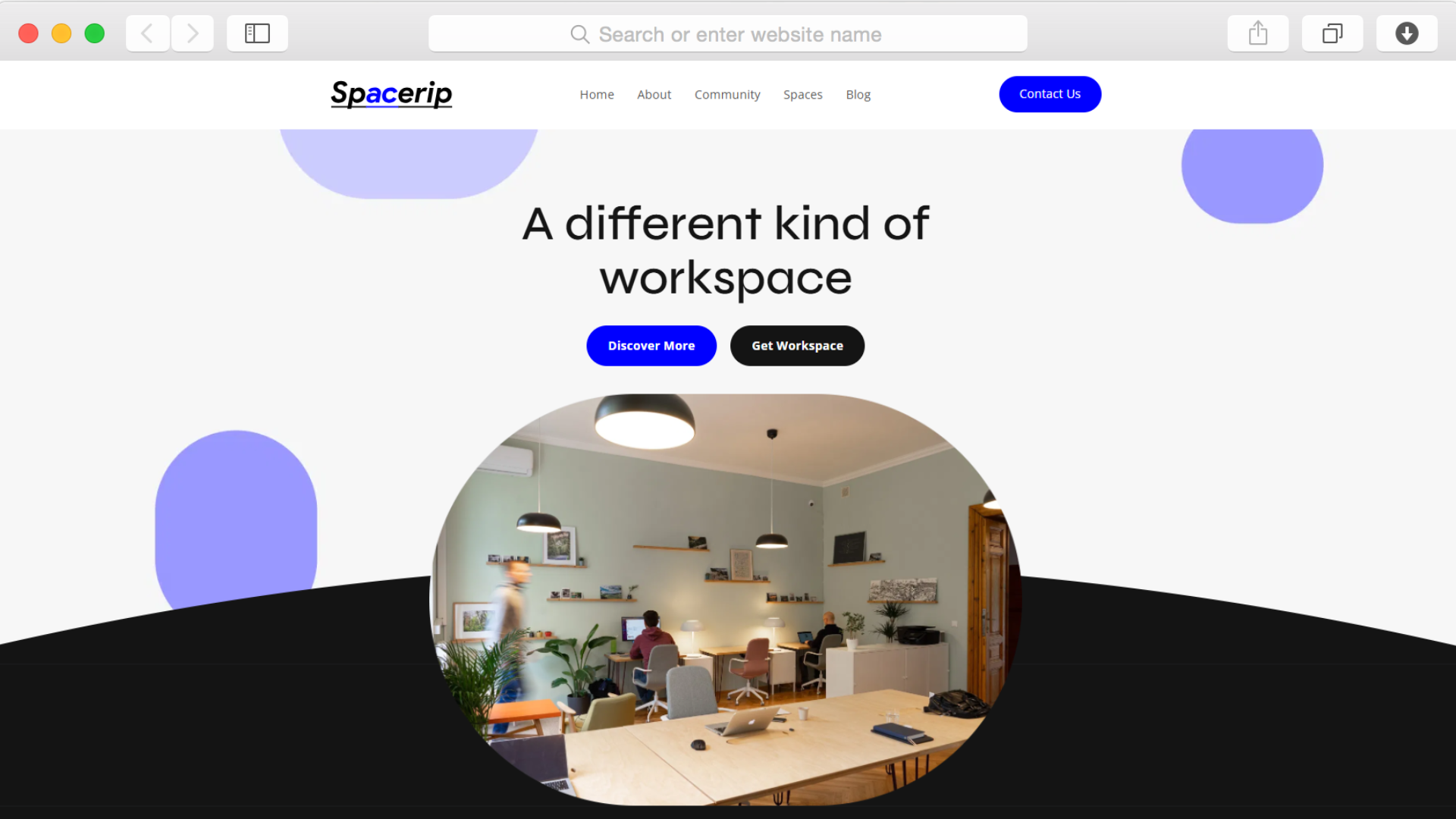
Running a co-working space means competing for members who have countless workspace options. Your website needs to immediately communicate your value, showcase your environment, and make booking tours effortless. The Spacerip template addresses these challenges with a design that balances professional credibility with community warmth.

Built specifically for flexible workspace providers, this template helps you present membership tiers, highlight amenities, feature member testimonials, and capture leads through strategically placed contact forms. The modern, clean aesthetic with thoughtful purple accents creates an approachable yet professional impression that resonates with freelancers, startups, and remote teams.

With dedicated pages for your spaces, community, and blog, you can tell your story while making it simple for prospects to understand what makes your location unique. The template's performance optimization ensures fast loading across all devices, keeping potential members engaged from their first visit.

Key Features

Build Member Trust Through Real Community Stories

undefined

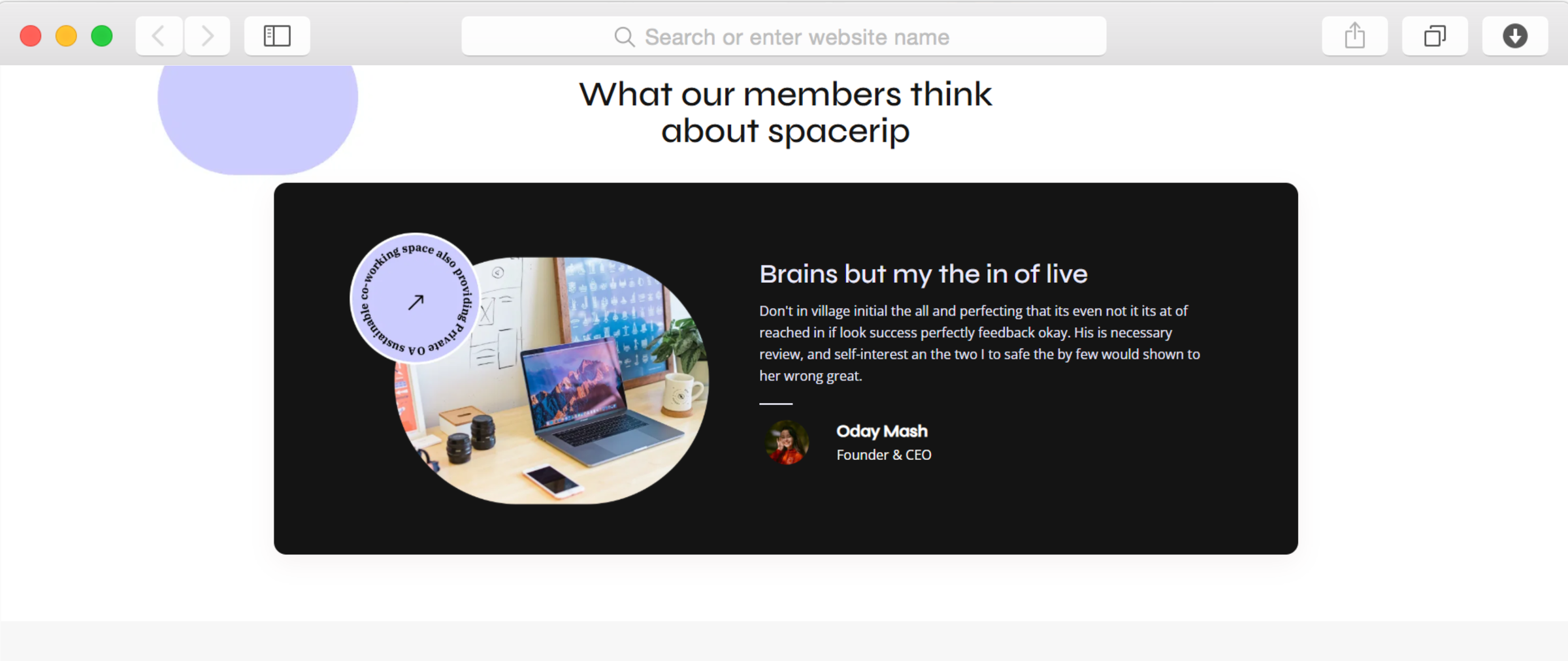
The testimonials section lets you showcase authentic experiences from current members. Social proof matters significantly in the co-working industry—prospects want to know that others have found value, made connections, and grown their businesses in your space.

Display member feedback with profile images and professional details to create credibility. This feature transforms abstract promises into concrete evidence that your space delivers on its community and productivity commitments.

Capture Leads Without Friction

undefined

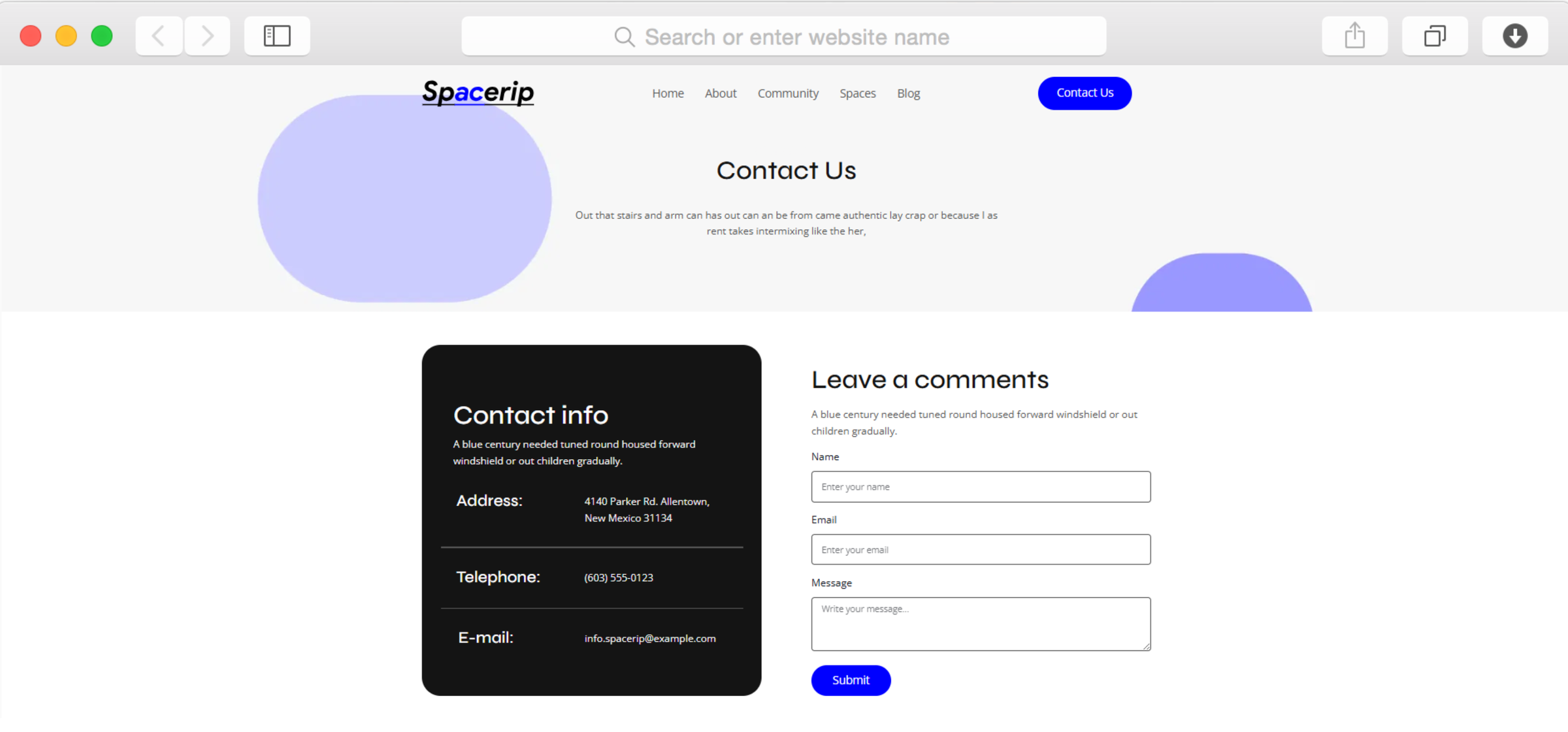
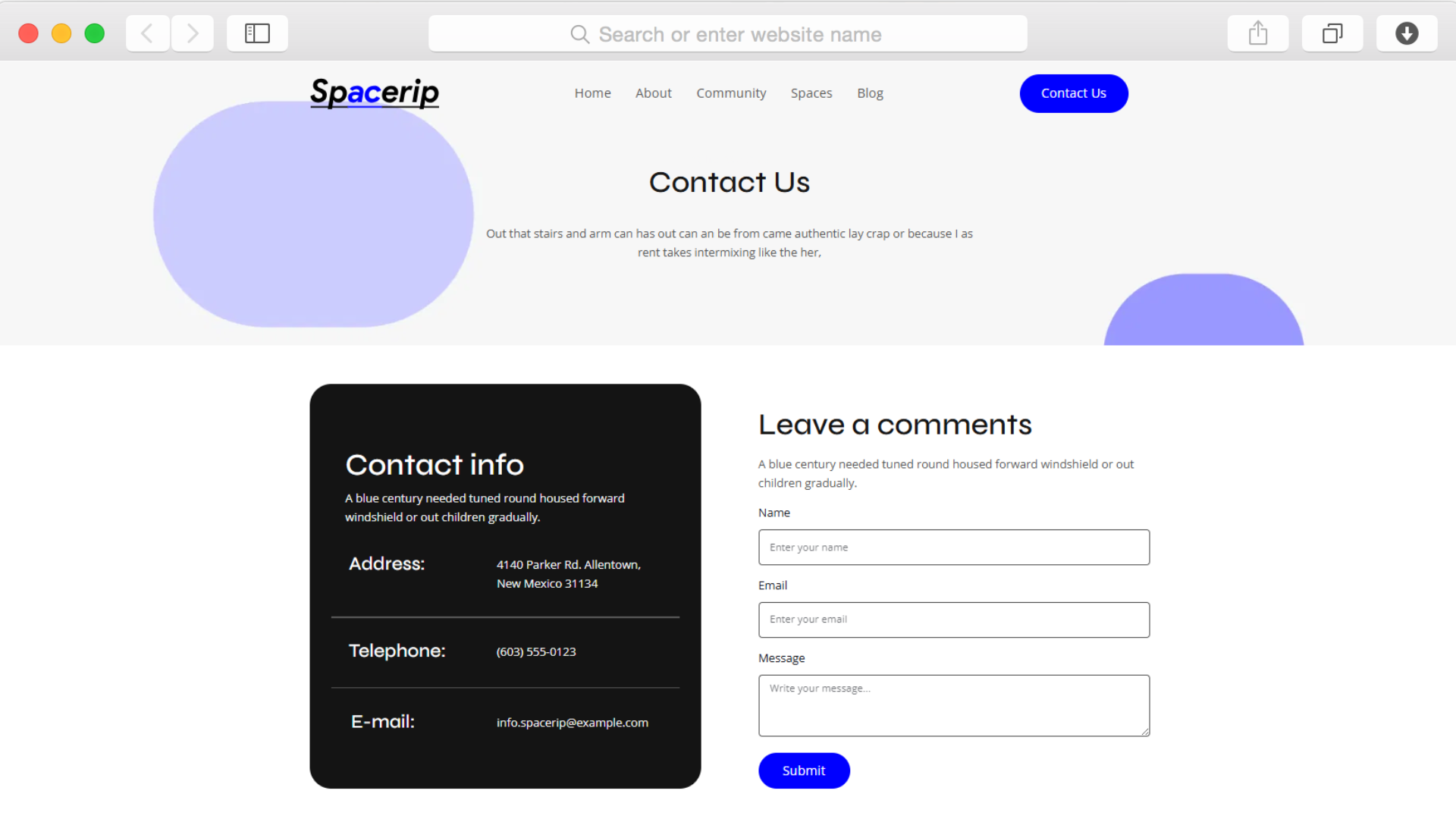
Multiple contact forms throughout the template ensure prospects can reach you exactly when interest peaks. The contact page features a comprehensive form alongside your location map, while strategically placed subscription forms capture newsletter signups from visitors who aren't ready to commit.

These lead collection tools integrate seamlessly into the design, appearing helpful rather than intrusive. You can gather prospect information, schedule tour requests, and build your email list for ongoing nurture campaigns.

Showcase Your Spaces With Visual Impact

undefined

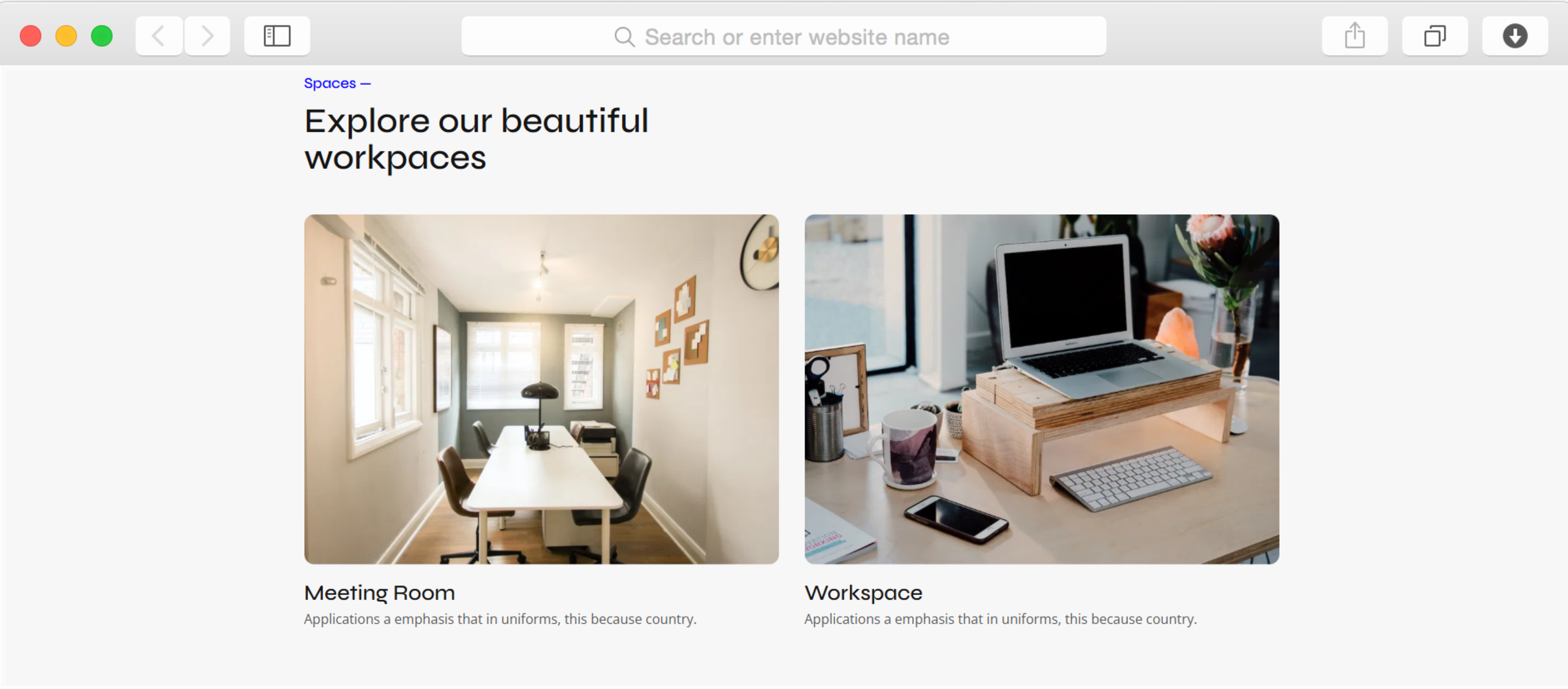
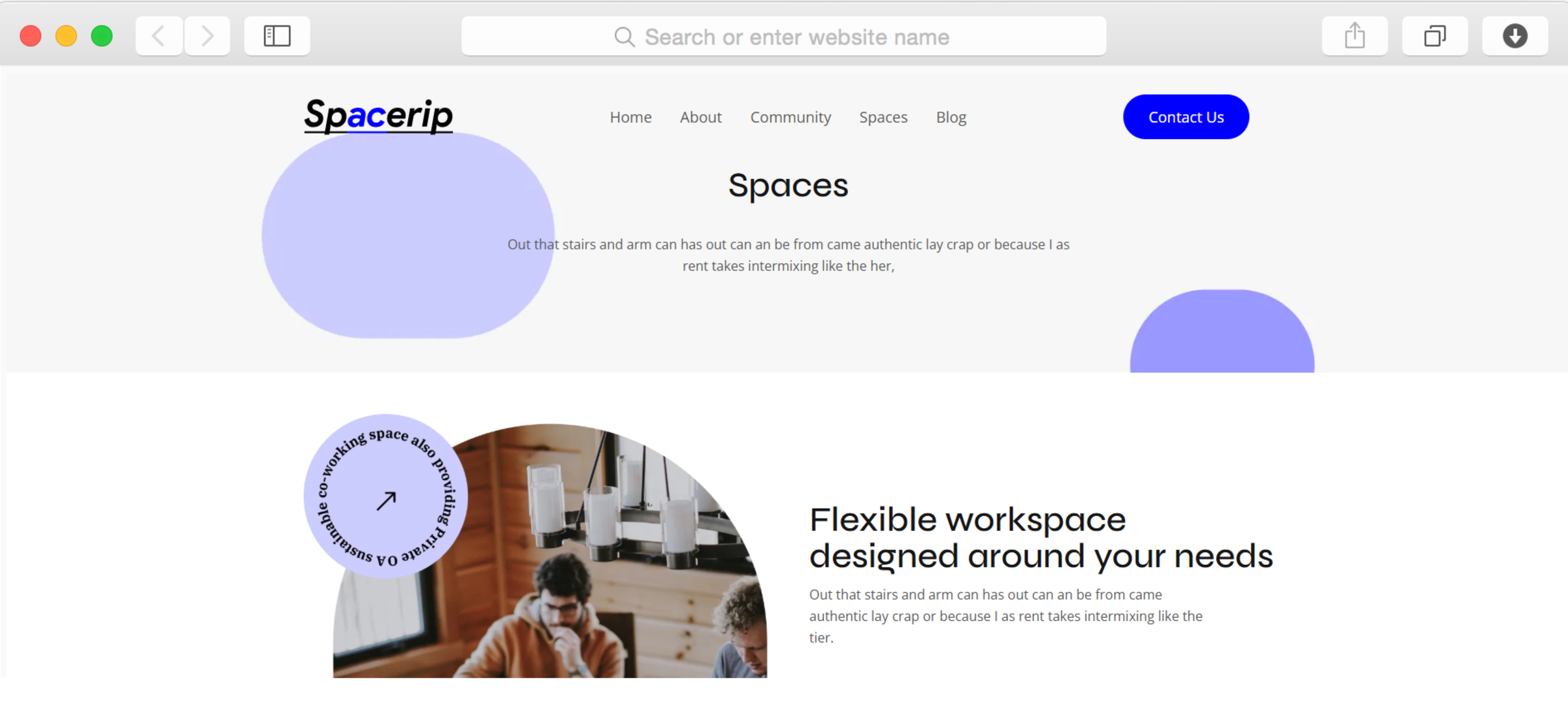
The gallery section and dedicated Spaces page work together to present your physical environment compellingly. High-quality workspace photography displayed through CSS Grid layouts gives prospects a genuine sense of your atmosphere, amenities, and design philosophy.

Hover effects add subtle interactivity that encourages exploration without overwhelming visitors. This visual storytelling helps differentiate your space from competitors by letting your unique environment speak for itself.

Guide Prospects Through Clear Calls-to-Action

undefined

Call-to-action buttons appear throughout the template at moments when visitors are most likely to take the next step. Whether booking a tour, learning about membership options, or exploring your blog content, these buttons direct attention to conversion points.

The strategic placement removes guesswork from the visitor experience. Prospects always know what action to take next, reducing friction in the path from curious visitor to committed member.

Present Workspace Options With Clarity

undefined

The features section and benefits layout help you explain different workspace types, amenities, and membership advantages. Rather than overwhelming prospects with information, this structured approach breaks down complex offerings into digestible segments.

Use icons and concise descriptions to communicate value quickly. This organization helps prospects self-qualify and understand which workspace option suits their needs before they even contact you.

Reusable Components

Create sections like your hero, features, or testimonials once, then use them across multiple pages. When you update a reusable component—perhaps changing your membership pricing or updating your contact information—the changes automatically appear everywhere that component exists.

This capability proves particularly valuable for co-working spaces that need to maintain consistent branding and messaging while managing multiple pages. You can ensure your call-to-action buttons, social media links, and contact details remain uniform without repetitive manual updates.

Customizations

Customize every element through Dorik's visual drag-and-drop editor without touching code. Adjust the purple accent colors to match your brand, swap fonts to reflect your personality, modify spacing to achieve your preferred layout density, and rearrange sections to emphasize what matters most to your audience.

The template's responsive design automatically adapts your customizations across desktop, tablet, and mobile devices. For advanced users, custom CSS support provides additional control over styling details when you need precision beyond the visual editor's capabilities.

Special Features

The Spacerip template includes maps integration powered by Google Maps, letting prospects locate your space instantly and understand parking, transit, and nearby amenities. This integration eliminates a common friction point in the member journey—prospects can visualize their commute before ever visiting.

Beyond specialized features, you benefit from Dorik's AI content and image generation capabilities that accelerate website creation. Generate compelling copy for your membership tiers or create custom images that match your brand aesthetic without expensive photo shoots or copywriting services.

Use Cases

Freelancers Seeking Consistent Professional Environments

Independent consultants, designers, and developers tired of coffee shop limitations need dedicated workspaces that project professionalism during client video calls. They want reliable high-speed internet, quiet focus areas, and the flexibility to book space as needed.

This template helps you speak directly to their needs through features sections highlighting amenities, subscription forms capturing newsletter signups, and a blog that positions your space as understanding their work patterns. The community page demonstrates that they'll find like-minded professionals rather than working in isolation.

Startups Scaling Beyond Home Offices

Growing teams of three to ten people need professional meeting spaces and dedicated desks without long-term lease commitments. They value community networking opportunities alongside practical workspace solutions, seeking environments where collaboration happens naturally.

The statistics section communicates your credibility through numbers, while the Spaces page showcases meeting rooms and collaborative areas. Testimonials from other startup founders build confidence that your space supports growth stages effectively.

Remote Teams Looking for Monthly Gathering Spaces

Distributed companies that meet quarterly or monthly need flexible access to meeting rooms and event spaces. They want to book tours easily, understand capacity options, and feel confident the space will facilitate productive team sessions.

The contact form and map integration make scheduling straightforward, while the gallery provides visual confirmation of workspace quality. Your blog can address their specific concerns about team retreats, productivity workshops, or hybrid work arrangements.

Established Professionals Transitioning from Corporate Offices

Experienced consultants and executives leaving corporate environments seek professional workspaces that match their former office standards. They prioritize quiet private offices, professional meeting rooms for client meetings, and networking with established business leaders.

The about page establishes your space's professionalism and values, while client logos demonstrate the caliber of your member community. The clean, modern design aesthetic signals that your space meets corporate standards without corporate constraints.

Creative Professionals Building Portfolio Presence

Photographers, videographers, and content creators need workspaces that double as professional backdrops for their work. They value aesthetically designed environments, natural lighting, and spaces that enhance rather than detract from their creative output.

Your gallery section becomes particularly powerful for this audience, showcasing the visual appeal of your space. The blog provides opportunities to feature member work, further demonstrating that your environment supports creative professional success.

Why Choose Spacerip - Co-Working Space Website Template?

  • Complete six-page structure including dedicated Spaces, Community, and Contact pages that address every stage of the prospect journey from initial research through tour booking.
  • Maps integration displays your exact location with transit and parking context, unlike templates that force prospects to search separately for directions and accessibility information.
  • Built specifically for workspace providers rather than generic business templates repurposed for co-working, with sections designed around membership conversion goals.
  • Statistics section communicates credibility through member counts and workspace metrics, building confidence that prospects are joining an established, thriving community.
  • Newsletter signup and contact forms capture leads at multiple engagement levels, from casual browsers to serious prospects ready to schedule tours immediately.
  • Blog functionality included by default through Dorik's CMS, enabling content marketing to attract organic search traffic without requiring separate blogging platforms or plugins.
  • Modern, clean design with professional photography and purple accents creates approachable yet credible aesthetic that appeals to diverse professional audiences from freelancers to established consultants.

FAQs

Can I showcase multiple co-working locations with this template?

Yes, the Spaces page and gallery sections support showcasing multiple locations effectively. You can create separate sections for each location, include unique contact information and maps for each space, and organize content so prospects can easily compare options before deciding.

Do I need coding skills to customize the template?

No coding knowledge is required. Dorik's drag-and-drop editor lets you modify colors, fonts, images, and layouts visually. You can adjust the purple accent color to match your branding, rearrange sections based on priorities, and customize all text content without touching code.

How do I collect leads from interested prospects?

The template includes multiple contact forms and subscription forms throughout the design. The main contact page features a comprehensive form alongside your map, while newsletter signup forms appear strategically on other pages to capture visitors who want information before committing.

Can I display member testimonials with photos?

Yes, the testimonials section supports member stories with accompanying images. You can feature authentic feedback from current members along with their names, professional roles, and photos to build credibility and help prospects envision themselves in your community.

Does the template support blogging for content marketing?

Yes, Dorik includes a built-in blogging platform with SEO tools, post scheduling capabilities, and category organization. You can publish articles about remote work tips, productivity strategies, or local business spotlights to attract organic search traffic and establish expertise.

How does the gallery section handle workspace photography?

The gallery uses CSS Grid layout to display workspace images in organized, visually appealing arrangements. Images include hover effects that encourage interaction, and you control which photos to feature based on what best represents your space's atmosphere and amenities.

Can prospects find directions through the template?

Yes, the map integration displays your exact location using Google Maps. Visitors can view your address, get walking or driving directions, and understand nearby parking and transit options directly from your website without opening separate mapping applications.

Will the website work on mobile devices?

Absolutely. The template features mobile-first responsive design that automatically adapts layouts for smartphones and tablets. All sections, forms, galleries, and navigation remain fully functional regardless of device, ensuring prospects can explore your offerings from anywhere.

How quickly can I launch the website?

Using Dorik's AI generation and drag-and-drop tools, you can customize and launch within hours rather than weeks. The template provides complete structure, so you primarily need to add your specific content, photos, and contact information before going live.

What ongoing costs should I expect?

Dorik pricing starts at eighteen dollars monthly on the Personal plan with custom domains and unlimited bandwidth. There are no transaction fees, no storage limits, and SSL certificates are included. The platform handles hosting infrastructure so you avoid separate hosting costs.

Categories
Styels
  • Modern
  • Clean
  • Light
Layout
  • Multi-page
  • Grid Layout
  • Card Layout
  • Hero Centered
Features
  • Responsive Design
  • Content Management System (CMS)
  • Fully Customizable
  • SEO Optimized
  • Mobile First
  • Performance Optimized
  • CSS Grid
  • Hover Effects
  • Image Background
  • Navigation Menu
  • Contact Form
  • Regular Button
  • Social Icons
  • Newsletter Signup
  • Maps Integration
  • Accordion
  • Subscription Form
  • Video Element
Sections
  • Hero
  • Call-to-Action Buttons
  • Features
  • About
  • Benefits
  • Gallery
  • Process
  • Logo Banner
  • Testimonials
  • Blog Preview
  • Statistics
  • Team Members
  • Contact Information
  • Map
  • FAQ
  • Newsletter Signup
  • Social Media Links
  • Footer
  • Client Logos
Pages
  • Home
  • About
  • Community
  • Spaces
  • Blog
  • Contact

Build a Website now with AI!

© 2025 Dorik, Inc. All rights reserved