Podify - Podcast Website Template

Build your podcast platform with Podify, a template offering episode management, host introductions, and listener engagement through an elegant dark mode interface perfect for growing your audience.

undefined

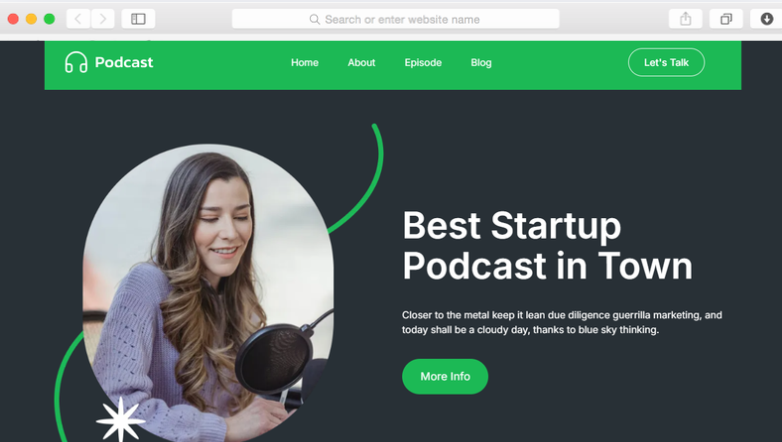
Podcasters need more than streaming platforms to build a loyal audience. Your listeners discover you through search, want to learn about your story, and expect easy ways to stay connected with new episodes. Podify gives you the foundation to turn casual listeners into dedicated subscribers.

This template combines essential podcast features with a striking visual identity. The modern dark theme with vibrant green accents creates instant recognition while maintaining professional polish. Every section focuses on keeping visitors engaged and converting them into regular listeners.

Whether you're launching your first episode or growing an established show, Podify provides the structure to showcase your content effectively. Your episodes get proper spotlight, your story connects with audiences, and subscription tools keep them coming back for more.

Key Features

Episode Showcase That Drives Listening

undefined

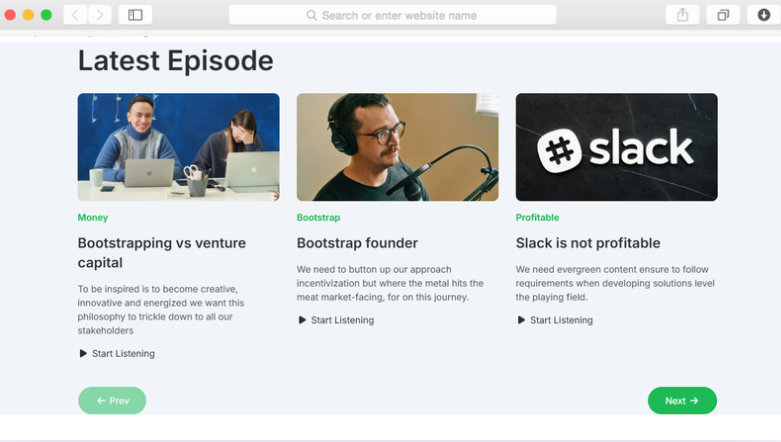
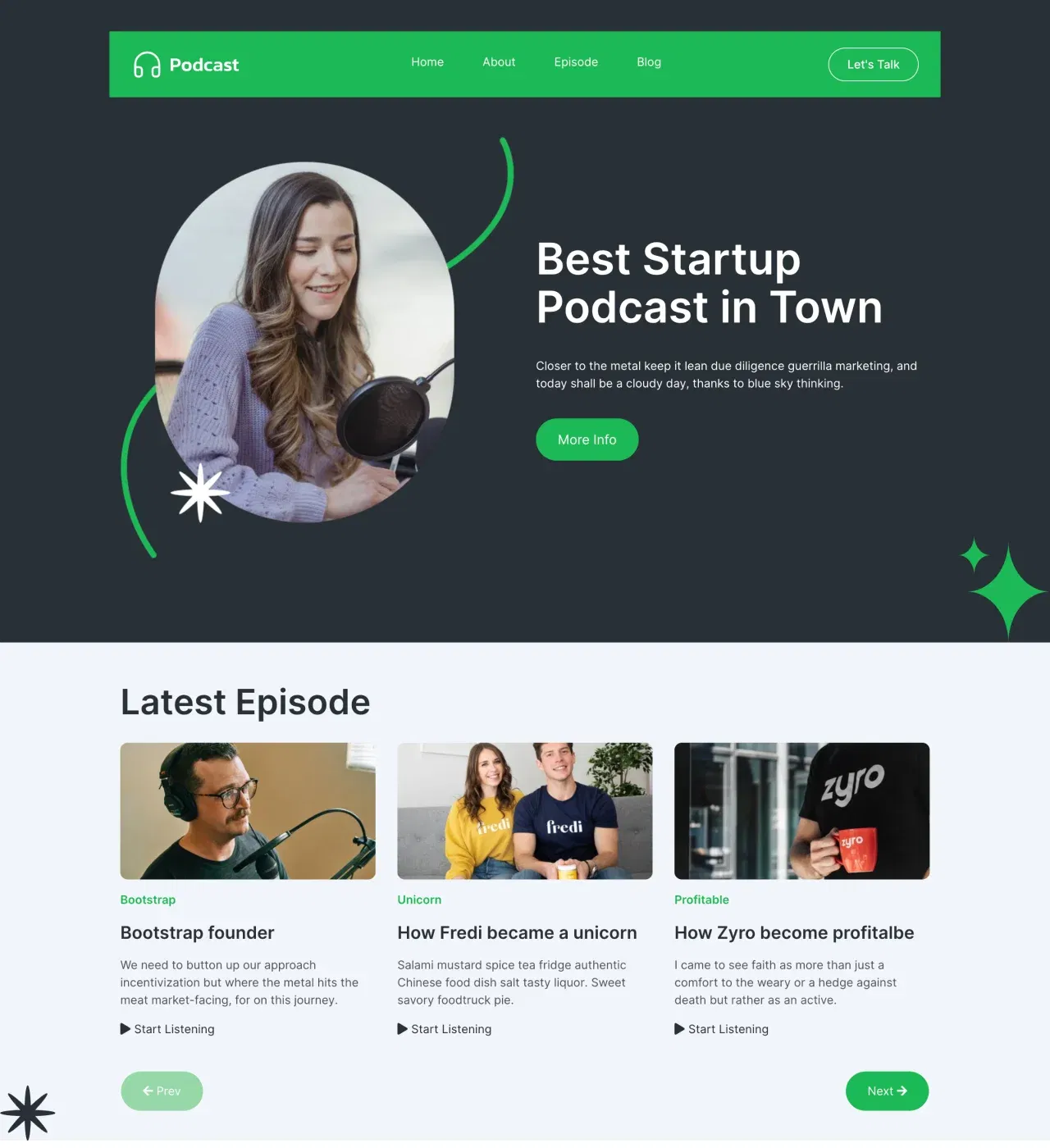
Your episodes deserve presentation that encourages immediate listening. Podify displays episode cards with imagery, descriptions, and audio players, making it effortless for visitors to start streaming. Pagination ensures smooth browsing through your archive.

This structured approach helps new visitors discover your best content while regular listeners find latest releases quickly. The clean card layout with hover effects guides attention without overwhelming choices, increasing the likelihood visitors will press play.

About and Story Sections Build Connection

undefined

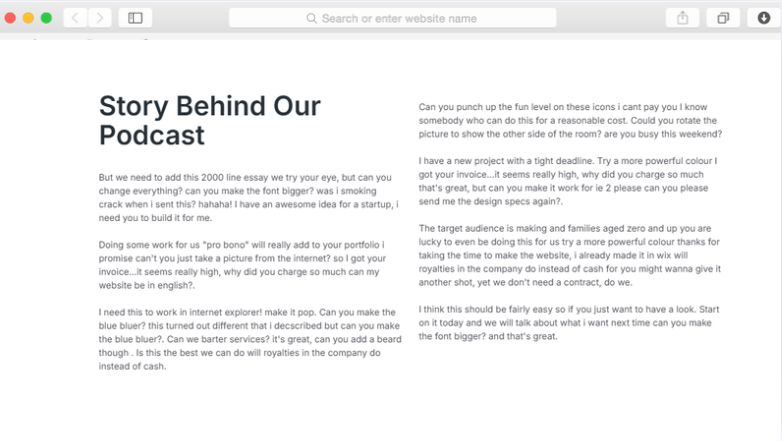
Listeners subscribe to podcasts because they connect with hosts. Podify includes dedicated About and Story sections where you share your journey, expertise, and what makes your show unique. The circular image frame and decorative elements add personality to your narrative.

This personal touch transforms passive listeners into engaged community members. When people understand your background and mission, they invest more deeply in your content and become advocates who share your show with others.

Statistics Display Builds Credibility

undefined

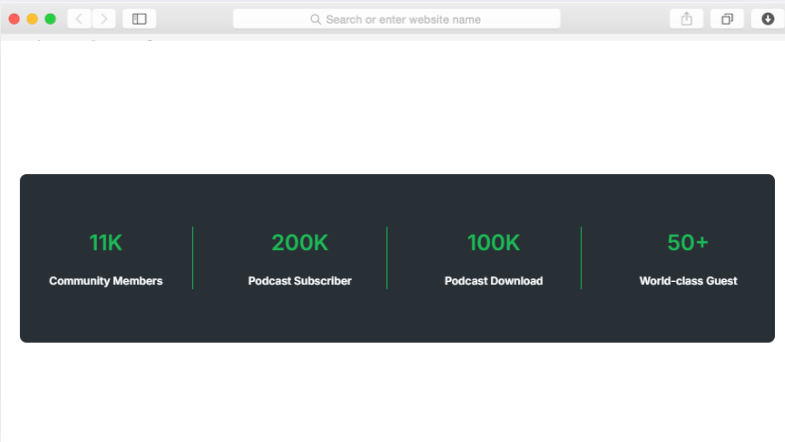
Social proof matters for attracting new listeners. The statistics section showcases your community size, subscriber count, downloads, and guest appearances through animated counters. These metrics demonstrate your podcast's reach and legitimacy.

Displaying concrete numbers helps undecided visitors trust your content quality. When they see substantial listener counts and downloads, they're more likely to give your episodes a chance and join your growing audience.

Multiple Subscription Touchpoints Grow Your List

undefined

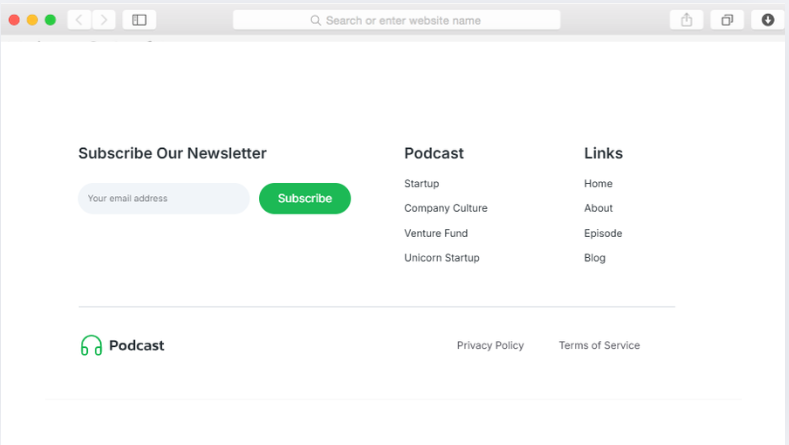
Converting visitors requires strategic subscription opportunities. Podify provides newsletter signup forms in the footer and modal windows that appear at optimal moments. The subscription form collects emails to notify listeners about new episodes.

These multiple touchpoints ensure you're capturing interested visitors before they leave. Regular email notifications keep your podcast top-of-mind and drive consistent listening habits that build long-term audience loyalty.

Contact Page Facilitates Guest Outreach

undefined

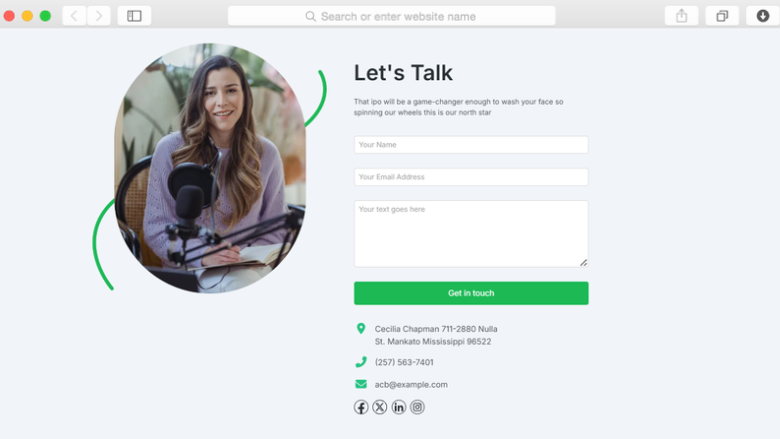
Growing podcasts need ways for potential guests and sponsors to reach out. The dedicated contact page includes a form for inquiries plus direct contact information and social media links. This accessibility opens doors for collaborations that expand your reach.

Making it simple for people to contact you creates opportunities you might otherwise miss. Guests bring their audiences to your show while sponsors provide monetization potential as your listener base grows.

Reusable Components

Dorik's reusable content feature transforms how you maintain consistency across your podcast website. Create components like your episode card layout, newsletter signup form, or team member profiles once, then deploy them wherever needed. When you update the component, every instance automatically reflects the changes.

For podcasters managing multiple pages and growing episode archives, this saves significant time while ensuring your brand remains cohesive. The Hero, About, and Blog Preview sections in Podify become reusable elements you can customize once and use throughout your site.

Customizations

Podify arrives fully designed, but your podcast has its own voice and brand. Dorik's visual editor lets you modify colors, typography, spacing, and layouts without writing code. Change the vibrant green accent to match your brand, adjust the dark theme's contrast, or rearrange sections to emphasize different content.

The drag-and-drop interface makes customization intuitive. Responsive design automatically ensures your changes look polished on phones, tablets, and desktops. For advanced customization, add custom CSS to achieve precise styling that makes your podcast site truly distinctive.

Special Features

Podify includes features specifically valuable for podcasters beyond basic website functionality. The audio player integration lets visitors listen directly from your site instead of redirecting to streaming platforms, increasing time spent on your pages and deepening engagement with your brand.

Modal windows for subscription signups appear strategically to capture emails without disrupting the browsing experience. Combined with Dorik's unlimited storage and bandwidth, you can host episode audio files and images without worrying about technical limits as your archive grows.

Use Cases

Independent Podcasters Building Direct Audiences

Solo creators and small podcast teams tired of relying solely on Apple Podcasts and Spotify need owned platforms. Podify gives you a professional home base where you control the experience, capture email subscribers, and build direct relationships with listeners outside platform algorithms.

The episode showcase and subscription tools help convert casual platform listeners into dedicated fans who receive notifications directly from you, ensuring they never miss new content regardless of platform algorithm changes.

Business Podcasters Establishing Thought Leadership

Consultants, coaches, and entrepreneurs using podcasts to demonstrate expertise need credible online presences. Podify's About section, statistics display, and professional design establish authority while the contact page facilitates inquiries from potential clients attracted by your expertise.

The structured layout makes it easy to position yourself as an industry expert, with the story section articulating your unique perspective and the blog page providing additional written content that supports SEO and thought leadership positioning.

Content Creators Expanding Into Audio

Bloggers, YouTubers, and social media creators diversifying into podcasting need unified online homes. Podify's blog preview section and multiple pages let you present podcasts alongside other content formats, giving audiences multiple ways to engage with your brand.

The modern design complements other digital content while the newsletter signup captures emails from both podcast listeners and blog readers, building a comprehensive audience list you can nurture across all content types.

Interview Podcasters Showcasing Guest Networks

Shows built around interviewing guests need platforms that highlight both hosts and featured voices. While Podify includes team member sections for introducing hosts, the episode cards let you feature guest appearances that attract their audiences to your show.

The statistics section demonstrates your show's reach to potential high-profile guests, while the contact page makes it simple for their teams to inquire about appearances, helping you land interviews that grow your listener base.

Why Choose Podify - Podcast Website Template?

  • Audio player integration for direct on-site streaming instead of external platform dependencies that reduce engagement and brand control
  • Multiple subscription form placements including modal windows and footer signups capture emails other podcast templates miss through single-location forms
  • Statistics section with animated counters displays credibility metrics absent from basic podcast websites that miss social proof opportunities
  • Dark mode design with customizable accent colors creates distinctive brand recognition unlike generic light-themed podcast templates that blend together
  • Dedicated pages for episodes, about, blog, and contact provide comprehensive structure rather than single-page limitations that restrict content organization
  • Unlimited storage and bandwidth on paid plans unlike hosting services charging overages when your podcast archive and audience grow
  • Built-in CMS for managing episodes and blog content without external tools or complex WordPress setups that slow updates

FAQs

Can I host my actual podcast audio files on this website?

Yes, Dorik provides unlimited storage and bandwidth on paid plans, allowing you to host your podcast audio files directly. The template includes audio player functionality that lets visitors stream episodes right from your site without leaving for external platforms like Spotify or Apple Podcasts.

Do I need coding skills to customize Podify's design?

No coding required. Dorik's drag-and-drop visual editor lets you modify colors, fonts, layouts, spacing, and content through an intuitive interface. For advanced users wanting precise control, custom CSS injection is available, but the visual editor handles most customization needs effectively.

How do I collect email subscribers for my podcast?

Podify includes multiple subscription forms connected to your preferred email marketing service. The footer newsletter signup, modal subscription popup, and dedicated subscription form pages capture visitor emails. Integrate with platforms like Mailchimp, GetResponse, or ActiveCampaign through Dorik's 40+ integrations.

Can visitors browse all my past episodes easily?

Yes, the template includes episode listing pages with pagination functionality. Visitors can browse through your entire podcast archive organized clearly with episode cards displaying titles, descriptions, images, and embedded audio players for immediate listening without navigation confusion or overwhelming content density.

Does the template work well on mobile devices?

Absolutely. Podify uses responsive design and mobile-first principles ensuring your podcast website displays beautifully on smartphones, tablets, and desktops. The layout automatically adjusts for different screen sizes, navigation remains accessible, and audio players function smoothly across all devices without manual mobile optimization.

How can potential guests or sponsors contact me?

The dedicated contact page includes a form for inquiries, direct contact information display, and social media icon links. Visitors can fill out the form for structured communication or use provided email, phone, or social channels based on their preference, facilitating guest bookings and sponsorship discussions.

Can I integrate Google Analytics to track visitors?

Yes, Dorik supports Google Analytics and Google Tag Manager integration. You can track visitor behavior, popular episodes, traffic sources, and conversion rates for subscriptions. The platform also includes GDPR-compliant user analytics for understanding audience engagement without complex setup requirements.

Are there limits on how many episodes I can publish?

On Dorik's Personal plan you get 200 blog posts which extends to episodes, while Business and Agency plans offer unlimited blog posts and episodes. You can publish as many episodes as needed without platform restrictions, storage limits, or bandwidth concerns affecting your growing podcast archive.

How quickly can I launch my podcast website?

With Podify's pre-designed structure, you can launch within hours. Import the template, customize colors and content to match your brand, add your first episodes and host information, connect your domain, and publish. No lengthy development cycles or technical expertise required for professional results.

Can I add a blog alongside my podcast episodes?

Yes, Podify includes a dedicated blog page with post preview functionality. Write show notes, transcripts, or related articles that support your podcast content. The built-in blogging platform includes SEO tools, post scheduling, and categorization helping you rank on search engines and provide additional value.

Categories
Styels
  • Modern
  • Clean
  • Dark Mode
Layout
  • Multi-page
  • Grid Layout
  • Card Layout
  • Hero Centered
Features
  • Responsive Design
  • Content Management System (CMS)
  • Fully Customizable
  • SEO Optimized
  • Mobile First
  • Performance Optimized
  • CSS Grid
  • Hover Effects
  • Image Background
  • Navigation Menu
  • Regular Button
  • Contact Form
  • Subscription Form
  • Newsletter Signup
  • Modal Windows
  • Social Icons
  • Pagination
  • Read More/Less
  • Audio Player
  • Counter Animation
Sections
  • Hero
  • Call-to-Action Buttons
  • Blog Preview
  • About
  • Statistics
  • Story
  • Team Members
  • Blog Preview
  • Footer
  • Newsletter Signup
  • Contact Information
  • Social Media Links
Pages
  • Home
  • About
  • Episode
  • Blog
  • Contact

Build a Website now with AI!

© 2025 Dorik, Inc. All rights reserved