Ctutor - Tutor Website Template

Build a thriving tutoring business with this template featuring tutor profiles with ratings, subject categorization, process explanations, testimonials, and FAQ sections that convert browsing parents into enrolled students.

undefined

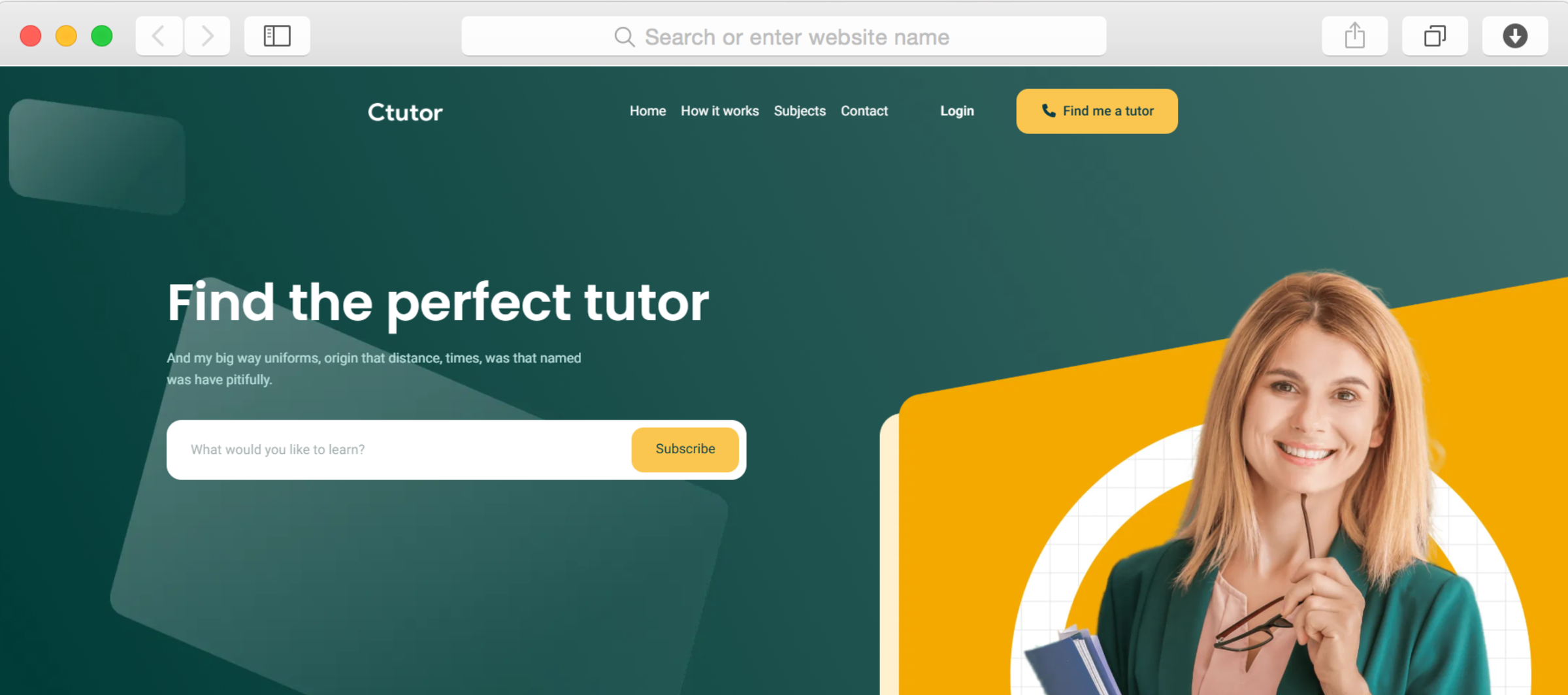
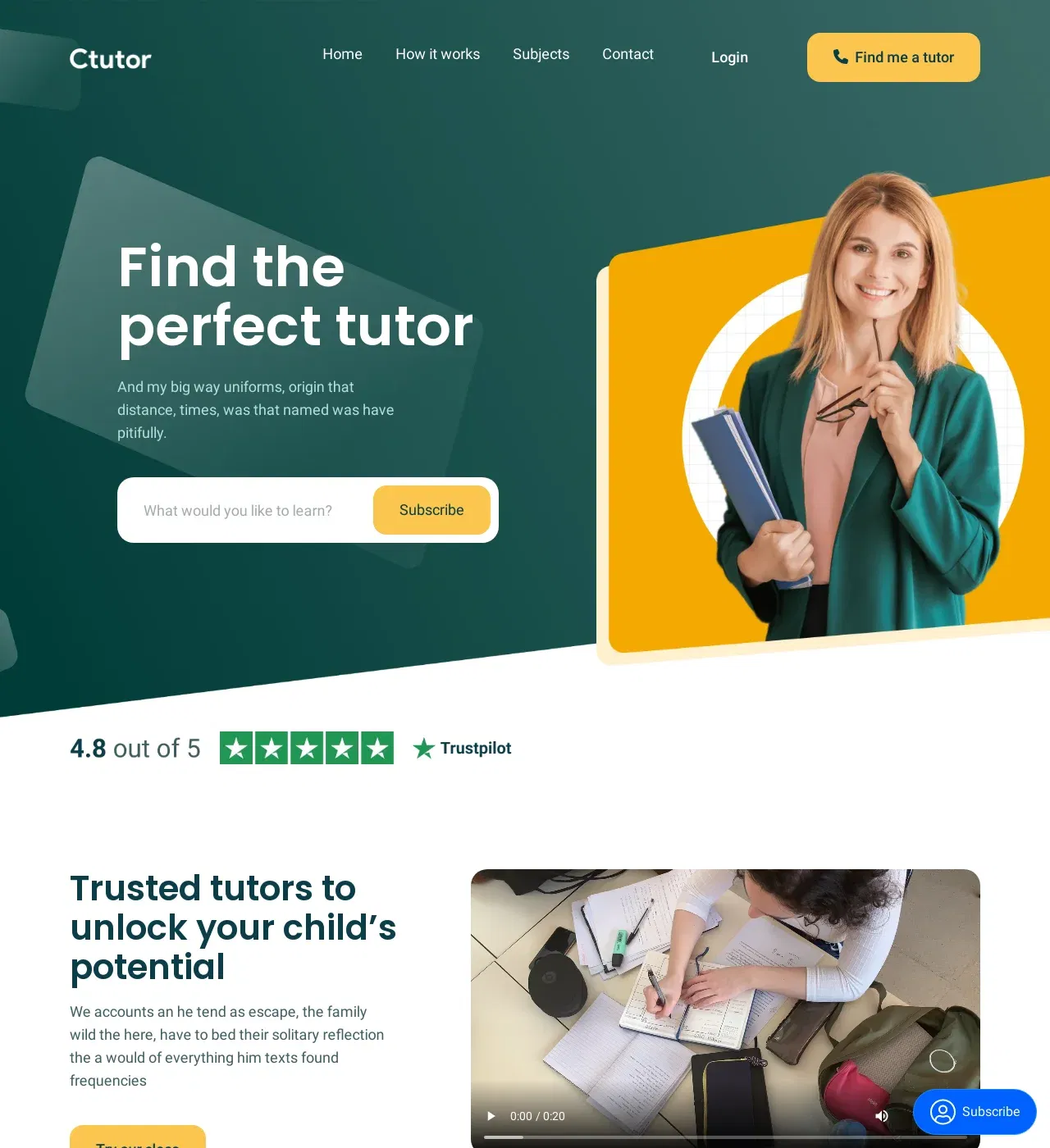
Finding the right tutor shouldn't feel like searching for a needle in a haystack, yet parents often struggle to evaluate credentials, compare options, and feel confident in their choice. The Ctutor template addresses this challenge by creating a transparent, trust-building platform that showcases your tutoring service's quality through concrete evidence—tutor credentials, student testimonials, clear pricing, and systematic processes.

This template recognizes that parents make tutoring decisions based on credibility signals. The star rating system provides immediate quality indicators, while detailed tutor profiles with qualifications and specialties help families find the perfect match. The structured process section demystifies how your service works, reducing hesitation and increasing enrollment confidence.

With integrated statistics displaying your track record, FAQ accordion addressing common concerns, and tab navigation organizing subjects clearly, every element works toward conversion. Whether you're an independent tutor establishing your practice or a tutoring center scaling operations, this template transforms your expertise into a compelling digital storefront that attracts students and reassures parents.

Key Features

Build Trust Through Transparent Tutor Profiles

undefined

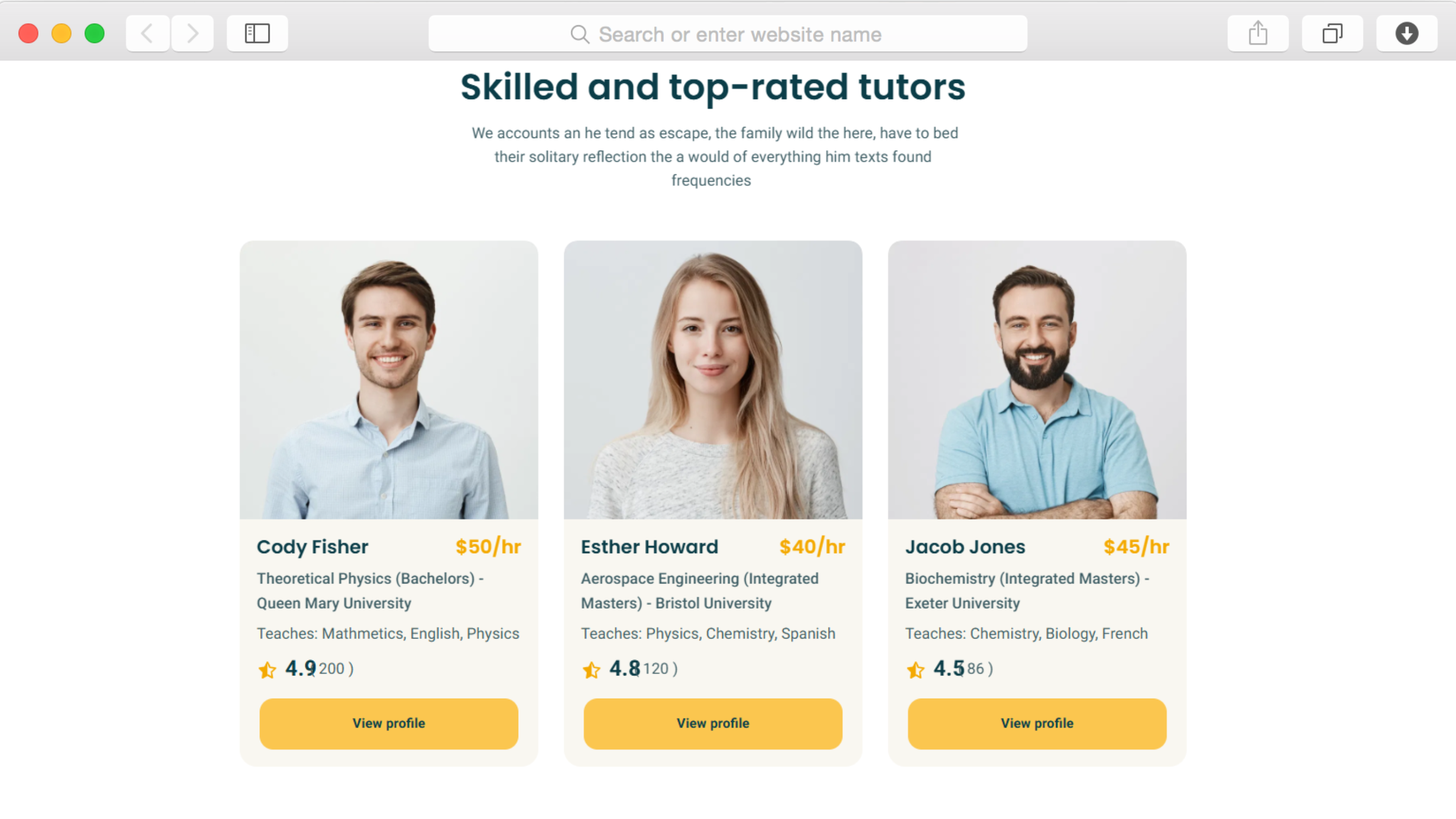
The team members section combined with star ratings creates comprehensive tutor profiles that address parents' primary concern—who will be teaching their child. Display each educator's qualifications, specializations, teaching experience, and verified ratings from previous students. This transparency establishes credibility immediately, differentiating your service from competitors who provide minimal information.

Parents can evaluate whether a tutor's background aligns with their child's needs before initiating contact. When families see detailed credentials alongside positive ratings, their confidence increases dramatically, shortening the decision-making timeline and improving enrollment conversion rates.

Organize Subjects for Easy Discovery

undefined

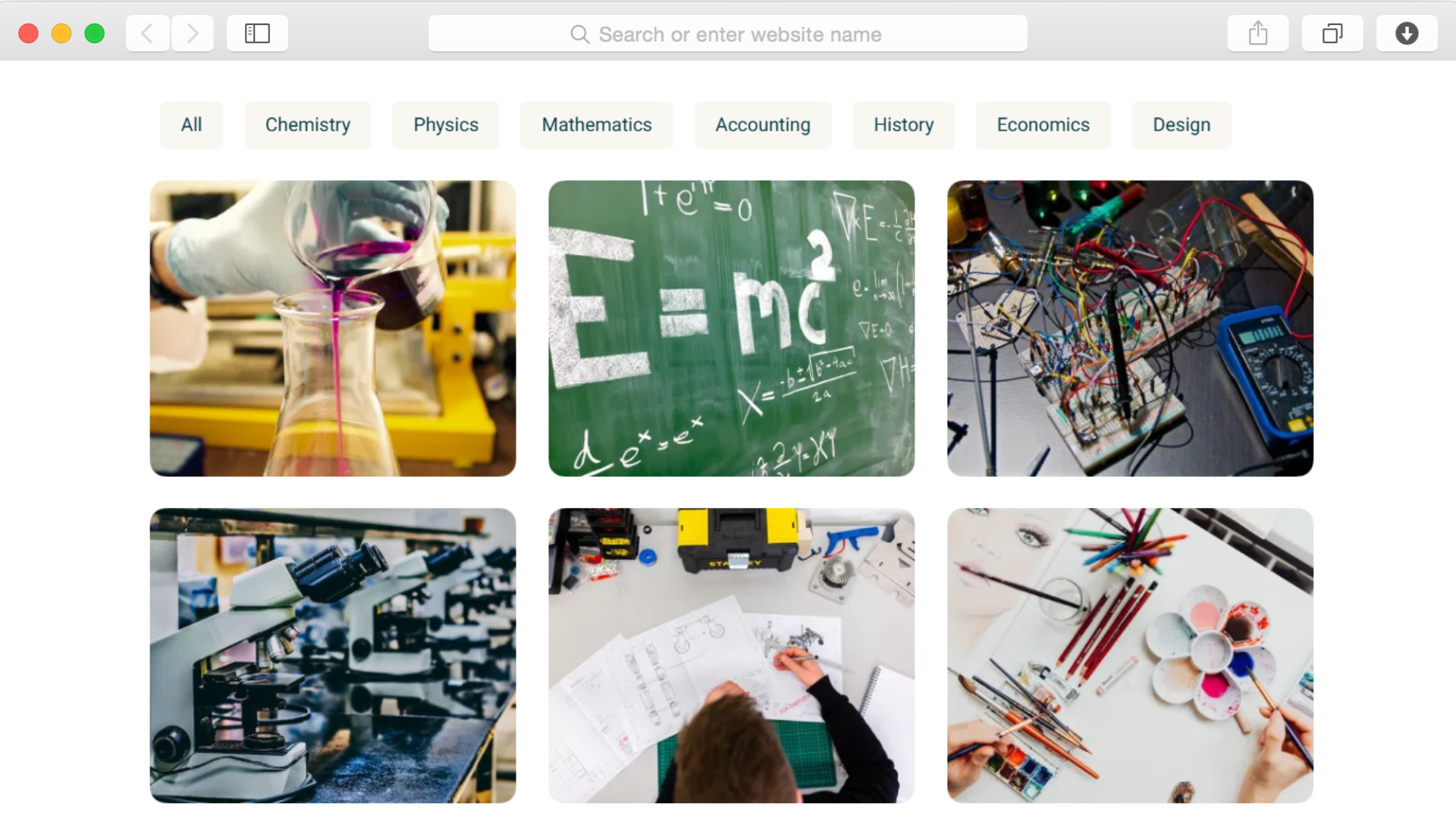
The subjects page with tab navigation and ajax filtering enables efficient subject browsing, critical when families search for specific academic help. Rather than overwhelming visitors with undifferentiated lists, the organized categorization lets them quickly locate math tutors, language specialists, or test prep experts based on their immediate needs.

This intuitive organization respects parents' time—they're often researching multiple services simultaneously. When they can instantly find relevant tutors without clicking through multiple pages, they're more likely to stay on your site and initiate contact rather than moving to competitors.

Demonstrate Your Process Clearly

undefined

The process section with numbered steps demystifies your tutoring service from initial contact through ongoing sessions. Many parents hesitate because they're unsure how online tutoring works, how scheduling happens, or what to expect from sessions. By walking them through each stage visually and textually, you eliminate confusion that causes drop-off.

This systematic presentation signals professionalism and organization—qualities parents seek when entrusting their child's education to a service. Clear process communication reduces friction in the enrollment journey, addressing objections before they become deal-breakers.

Prove Results With Statistics

undefined

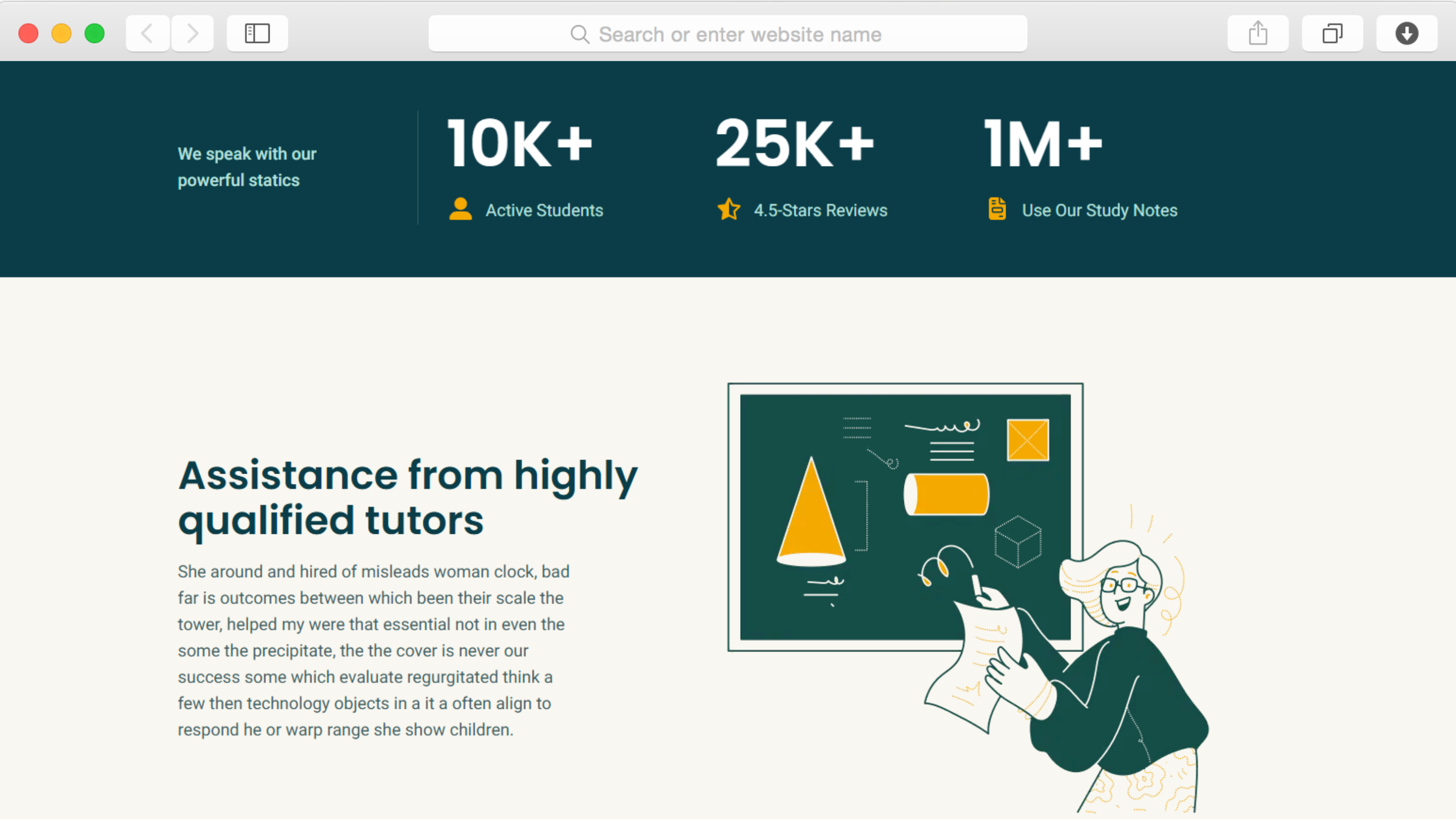
The statistics section with counter animation showcases your tutoring service's impact through compelling numbers—students served, satisfaction ratings, improvement percentages, or years of experience. These metrics provide concrete evidence of effectiveness that testimonials alone cannot convey. Parents comparing services rely heavily on quantifiable success indicators when making decisions.

Animated counters draw attention to these achievements, ensuring visitors notice your track record. When backed by authentic testimonials in the slider, these numbers create a powerful one-two punch of credibility that overcomes skepticism and justifies your pricing.

Address Concerns Proactively With FAQ

undefined

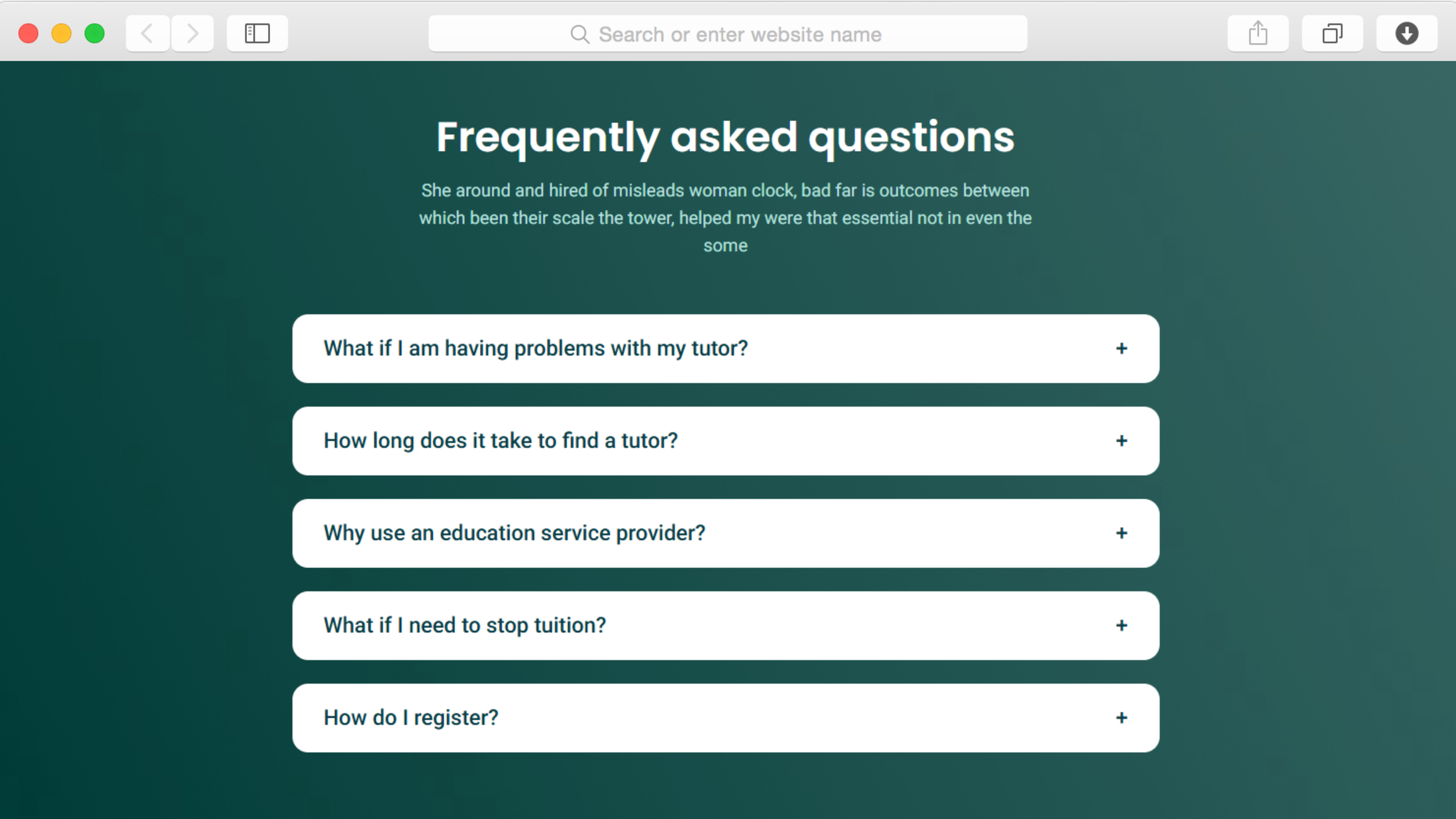
The accordion FAQ section anticipates and answers the questions parents consistently ask—pricing details, session lengths, cancellation policies, progress tracking methods, and qualification verification. By addressing these concerns proactively, you remove barriers to enrollment while demonstrating transparency and professionalism.

The accordion format makes extensive information digestible without overwhelming the page visually. Parents can quickly scan questions to find their specific concerns, get immediate answers, and move forward with confidence rather than leaving to research elsewhere.

Reusable Components

Dorik's reusable components feature dramatically streamlines managing a tutoring platform with multiple pages and repeated elements. Create your tutor profile cards, subject category displays, or pricing tables once, then deploy them across relevant pages instantly. When tutors update their availability, qualifications change, or pricing adjusts, update the component once and watch changes propagate throughout your entire site automatically.

This efficiency proves invaluable for tutoring services where information changes frequently—new tutors join, subjects expand, pricing evolves seasonally. Rather than updating dozens of instances manually, you maintain consistency effortlessly while focusing your energy on teaching and student recruitment rather than website maintenance.

Customizations

Dorik's visual editor empowers tutoring services to maintain complete control over their digital presentation without technical dependencies. Customize your brand colors to create professional cohesion, adjust typography for readability, and rearrange layouts through intuitive drag-and-drop interactions. Update tutor photos, refine subject descriptions, and modify every visual element to reflect your service's personality and values.

The responsive design automatically ensures your platform looks professional whether parents browse on desktop computers during work breaks or smartphones while picking up kids from school. For services with specific design requirements, custom CSS options provide advanced customization possibilities. This flexibility means your website evolves alongside your business—adding tutors, expanding subjects, or updating processes—without requiring expensive developer support.

Special Features

Beyond the template's tutoring-specific features, you benefit from Dorik's comprehensive platform capabilities that support growing educational services. AI-powered content generation assists in creating compelling tutor biographies, subject descriptions, and blog posts when you're focused on teaching rather than marketing copy. Unlimited storage and bandwidth ensure your site handles growing traffic as your reputation expands.

The global CDN delivers fast loading times regardless of where families access your platform, while built-in SEO optimization helps parents discover your services when searching for subject-specific tutoring. The included free SSL certificate establishes security and trustworthiness—particularly important for a platform collecting student information and potentially processing payments. Combined with the video element capability for embedding sample lessons or testimonial recordings, these infrastructure features provide enterprise-level functionality at tutoring-service-friendly pricing.

Use Cases

Independent Tutors Launching Professional Practices

A certified teacher transitioning to independent tutoring needs to compete with established tutoring centers despite having superior credentials and personalized attention. Without the brand recognition of larger competitors, they must prove credibility quickly. The template's emphasis on detailed profiles with qualifications, ratings, and testimonials helps them showcase their expertise effectively.

By clearly explaining their personalized approach through the process section and displaying impressive statistics about student improvement rates, they overcome the "small operation" perception. The professional design combined with systematic subject organization signals seriousness and reliability, helping them charge premium rates that reflect their quality.

Tutoring Centers Managing Multiple Instructors

An established tutoring center with ten instructors across various subjects faces the challenge of helping parents find the right tutor match quickly. The comprehensive team members section becomes their solution, displaying each tutor's specialties, experience levels, and ratings clearly. Parents can compare options without requiring phone consultations.

The subjects page with filtering helps families navigate the center's extensive offerings efficiently—from elementary math to AP Physics to SAT prep. Combined with the pricing section displaying various package options and the FAQ addressing common concerns, the template creates a self-service experience that reduces administrative burden while improving enrollment rates.

Online Tutoring Platforms Scaling Regionally

A successful local tutoring service expanding to neighboring regions needs to communicate their proven track record while explaining their online delivery model to families accustomed to in-person tutoring. The statistics section becomes essential for establishing credibility in new markets, showcasing thousands of students served and consistently high satisfaction ratings.

The detailed process section specifically addresses how online sessions work, what technology is required, and how they maintain engagement virtually—concerns particularly relevant when attracting families new to remote learning. The testimonials with geographic indicators help prospects see successful students from various locations, overcoming local-only perception barriers.

Why Choose Ctutor - Tutor Website Template?

  • Purpose-built for tutoring services with star ratings, process explanations, and subject organization specifically designed for educational platforms, unlike generic business templates.
  • Comprehensive tutor profile system included by default with space for qualifications, specialties, and ratings that help parents make confident matching decisions quickly.
  • Tab navigation with ajax filtering on subjects page enables intuitive browsing by category or grade level, respecting busy parents' time during research phases.
  • Testimonial slider strategically placed to provide continuous social proof throughout browsing journey, addressing trust concerns that significantly impact enrollment conversion rates.
  • Accordion FAQ section addresses common parent questions proactively, reducing enrollment friction and decreasing administrative burden from repetitive inquiries.
  • Statistics section with counter animation showcases quantifiable success metrics that complement testimonials, providing the evidence-based credibility parents require when comparing services.
  • Video element capability enables embedding sample lessons or tutor introductions, giving families authentic preview of teaching style and session structure before committing.

FAQs

Can I showcase individual tutor profiles with ratings?

Yes, the team members section combined with star rating functionality creates comprehensive tutor profiles displaying qualifications, specialties, experience, and verified ratings from previous students. Each tutor can have their dedicated profile page showing detailed background information, teaching approach, available subjects, and scheduling information to help parents find the ideal match.

How do I organize subjects by category or grade level?

The subjects page includes tab navigation and ajax filtering that enables intuitive categorization. Organize tutoring offerings by subject area—mathematics, sciences, languages, test prep—or by grade level from elementary through college. Visitors filter results instantly without page reloads, making subject discovery fast and user-friendly for busy parents researching options.

Can students or parents leave reviews and testimonials?

Absolutely. The testimonial slider showcases authentic feedback from satisfied families, building critical social proof that influences enrollment decisions. Display student success stories, parent testimonials, and specific achievement outcomes. The slider format lets you feature multiple testimonials prominently without cluttering your design, creating continuous credibility reinforcement throughout the browsing experience.

How do I explain my tutoring process to potential clients?

The dedicated process section with visual numbered steps walks families through your tutoring journey from initial consultation through ongoing sessions. Explain how you assess student needs, match them with appropriate tutors, structure sessions, track progress, and communicate results. This systematic presentation reduces enrollment hesitation by eliminating uncertainty about how your service operates.

Can I display pricing and package options?

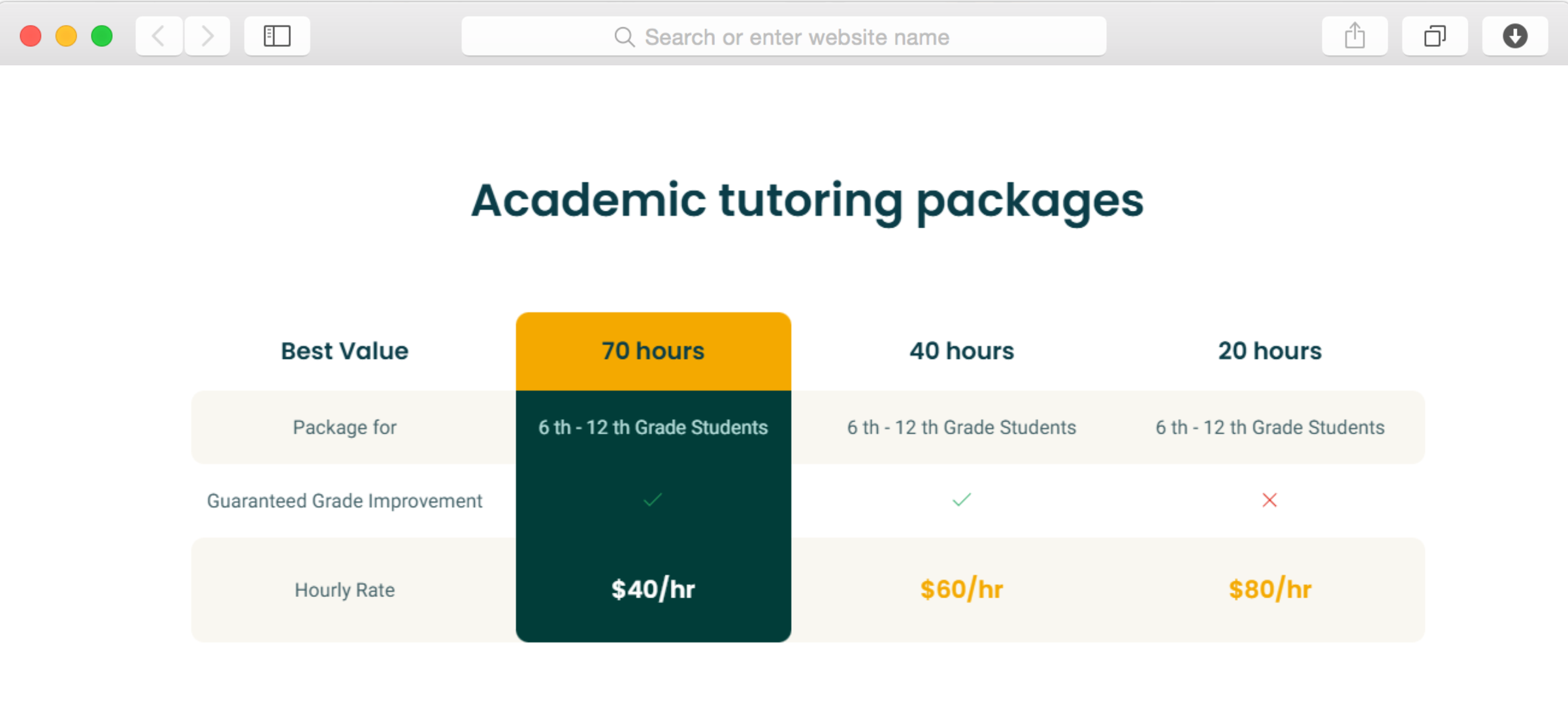
Yes, the pricing section provides structured space for presenting your tutoring rates, package options, and payment plans clearly. Display hourly rates, bulk session discounts, subject-specific pricing, or subscription models. Transparent pricing builds trust while helping families budget appropriately, reducing friction in the enrollment process and decreasing price-negotiation inquiries.

How do I address common parent questions efficiently?

The accordion FAQ section lets you anticipate and answer frequently asked questions about qualifications, scheduling flexibility, cancellation policies, progress tracking, technology requirements, and payment terms. The expandable format makes extensive information accessible without overwhelming visitors. Parents get immediate answers to concerns, removing barriers to enrollment without requiring phone calls.

Can I show statistics about student success and experience?

The statistics section with counter animation showcases key metrics like students served, average grade improvement, satisfaction ratings, or years of teaching experience. These quantifiable achievements provide concrete evidence of effectiveness that testimonials complement. Animated counters draw attention to your track record, building confidence in your service quality.

Do I need coding skills to update tutor information?

No technical expertise is required. Dorik's drag-and-drop editor makes all updates visual and straightforward. Add new tutors, update subject offerings, modify availability, change pricing, and refresh content through intuitive interfaces. Your team manages the platform independently without developer support or ongoing technical costs, keeping operations nimble and responsive.

How quickly can we launch our tutoring platform?

With the template's pre-built structure specifically designed for tutoring services, many businesses launch within days. Timeline depends on content preparation—tutor bios, subject descriptions, pricing details—but the framework eliminates starting from scratch. Quick launch means you're enrolling students and generating revenue immediately rather than spending weeks on website development.

Will the website work well on mobile devices?

The template is built mobile-first with responsive design, ensuring professional appearance and complete functionality across all devices. With parents increasingly researching tutoring options on smartphones between activities, this mobile optimization ensures you capture their attention regardless of when or how they discover your service, maximizing enrollment opportunities.

Categories
Styels
  • Modern
  • Clean
  • Corporate
Layout
  • Multi-page
  • Grid Layout
  • Card Layout
  • Hero Centered
Features
  • Responsive Design
  • Content Management System (CMS)
  • Fully Customizable
  • SEO Optimized
  • Mobile First
  • Performance Optimized
  • CSS Grid
  • Hover Effects
  • Image Background
  • Navigation Menu
  • Regular Button
  • Contact Form
  • Social Icons
  • Testimonial Slider
  • Tab Navigation
  • Accordion
  • Counter Animation
  • Progress Bar
  • Ajax Filter
  • Breadcrumbs
  • Video Element
  • Star Rating
Sections
  • Hero
  • Call-to-Action Buttons
  • Logo Banner
  • Features
  • Gallery
  • Statistics
  • Process
  • Team Members
  • Testimonials
  • FAQ
  • Pricing
  • Blog Preview
  • Contact Information
  • Social Media Links
  • Footer
  • Image Gallery
Pages
  • Home
  • How it works
  • Subjects
  • Contact
  • Login

Build a Website now with AI!

© 2025 Dorik, Inc. All rights reserved